0%

Just finished reviewing a paper talking about Electrocardiography (ECG) biometrics 10 minutes ago. Let’s continue having some fun of ECG right away.

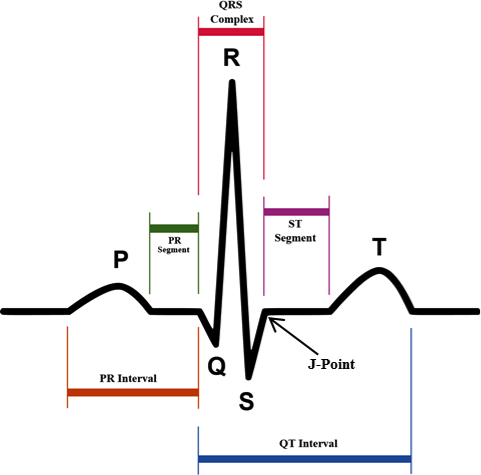
Fundamental Knowledge About ECG

Details can be found on ACLS Medical Training. Let’s cite the key graph as follows:

ECG Basics

BioSPPy

BioSppy is a Python tool which can display various types of biosignals. Its source code can be found on github.

Installation

1
2
3
4
5
6
7
8
9
10
11
12
13
➜  ~ pip install -U biosppy --user
......
➜ ~ pip show biosppy
Name: biosppy
Version: 0.6.1
Summary: A toolbox for biosignal processing written in Python.
Home-page: https://github.com/PIA-Group/BioSPPy
Author: Instituto de Telecomunicacoes
Author-email: carlos.carreiras@lx.it.pt
License: BSD 3-clause
Location: /home/lvision/.local/lib/python3.7/site-packages
Requires: scipy, numpy, matplotlib, scikit-learn, h5py, six, shortuuid, bidict
Required-by:

Test

A sample ECG data can be found at BioSPPy example.

1
2
3
4
5
6
7
8
from biosppy import storage
from biosppy.signals import ecg

# load raw ECG signal
signal, mdata = storage.load_txt('./examples/ecg.txt')

# process it and plot
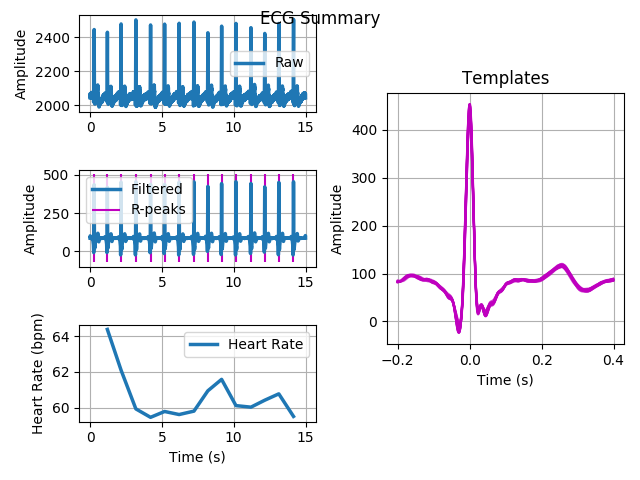
out = ecg.ecg(signal=signal, sampling_rate=1000., show=True)

ECG Summary

Three things you need to verify:

1. Contents In File /usr/share/qtchooser/qt5-x86_64-linux-gnu.conf

1
2
3
4
5
6
7
8
9
➜  ~ cd /usr/share/qtchooser
➜ qtchooser ls
qt4-x86_64-linux-gnu.conf qt5-x86_64-linux-gnu.conf
➜ qtchooser cat qt4-x86_64-linux-gnu.conf
/usr/lib/x86_64-linux-gnu/qt4/bin
/usr/lib/x86_64-linux-gnu
➜ qtchooser cat qt5-x86_64-linux-gnu.conf
/opt/Qt/Current/gcc_64/bin
/opt/Qt/Current/gcc_64/lib

2. Use Qt5 By Default: /usr/lib/x86_64-linux-gnu/qt-default/qtchooser/default.conf

1
2
3
4
5
6
7
➜  qtchooser cd /usr/lib/x86_64-linux-gnu/qt-default/qtchooser 
➜ qtchooser ll
total 0
lrwxrwxrwx 1 root root 53 Apr 5 21:21 default.conf -> ../../../../share/qtchooser/qt5-x86_64-linux-gnu.conf
➜ qtchooser cat default.conf
/opt/Qt/Current/gcc_64/bin
/opt/Qt/Current/gcc_64/lib

3. Doublecheck /usr/lib/x86_64-linux-gnu/qtchooser

1
2
3
4
5
6
7
8
9
10
11
12
13
14
15
➜  qtchooser cd /usr/lib/x86_64-linux-gnu/qtchooser
➜ qtchooser pwd
/usr/lib/x86_64-linux-gnu/qtchooser
➜ qtchooser ll
total 0
lrwxrwxrwx 1 root root 50 Dec 21 2017 4.conf -> ../../../share/qtchooser/qt4-x86_64-linux-gnu.conf
lrwxrwxrwx 1 root root 50 Dec 21 2017 5.conf -> ../../../share/qtchooser/qt5-x86_64-linux-gnu.conf
lrwxrwxrwx 1 root root 50 Dec 21 2017 qt4.conf -> ../../../share/qtchooser/qt4-x86_64-linux-gnu.conf
lrwxrwxrwx 1 root root 50 Dec 21 2017 qt5.conf -> ../../../share/qtchooser/qt5-x86_64-linux-gnu.conf
➜ qtchooser cat 4.conf
/usr/lib/x86_64-linux-gnu/qt4/bin
/usr/lib/x86_64-linux-gnu
➜ qtchooser cat 5.conf
/opt/Qt/Current/gcc_64/bin
/opt/Qt/Current/gcc_64/lib

Today I’d love to talk about Pixy Cam a bit, which I do NOT recommend at all. There are several reasons:

  • Price: As you can see from Amazon, it’s comparatively expensive, $95 USD.
  • Warranty period: 90 days from date of purchase
  • Size: too big

Actually, I purchased PIXY (with pan tilt mount base) in 2016 from amazon.com. However, it went died long time ago. What’s more, I’ve tested ALL possible solutions from Pixycam Troubleshooting, but the 90-day warranty is easy to pass.

I do NOT want to talk more about Pixy Cam, and here is **my conclusion:
Please use esp32-cam instead.

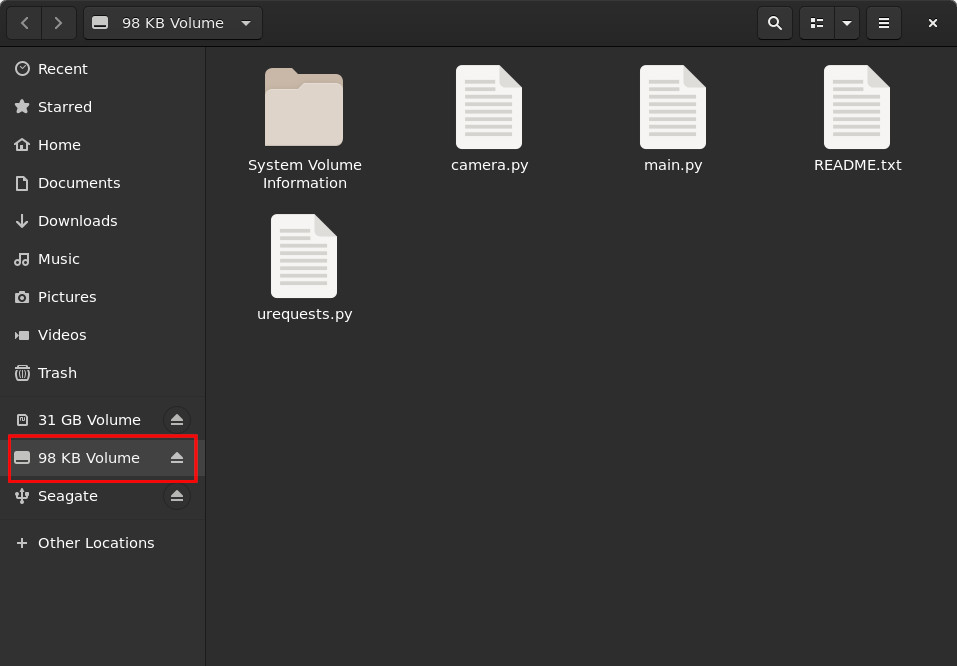
It’s almost July 10, let me continue testing something else: OpenMV. I used to have purchased 2 OpenMV cameras, respectively:

No matter which version of OpenMV is connected to the laptop via USB, command lsusb is able to list the device out as:

1
Bus 001 Device 020: ID 1209:abd1 InterBiometrics 

Dilemma of OpenMV-IDE

Conclusion FIRST: NEVER build OpenMV-IDE from scratch using a different version of Qt!!!

To build OpenMV-IDE is seriously headache.

1
2
3
4
5
6
7
➜  openmv ./openmv-ide-linux-x86_64-2.2.0.run
This application failed to start because it could not find or load the Qt platform plugin "xcb"
in "".

Available platform plugins are: eglfs, linuxfb, minimal, minimalegl, offscreen, xcb.

Reinstalling the application may fix this problem.

Test OpenMV

In the following, we ONLY use picocom to carry out the test.

1. OpenMV Cam M4 V2 (OPENMV2 with STM32F427)

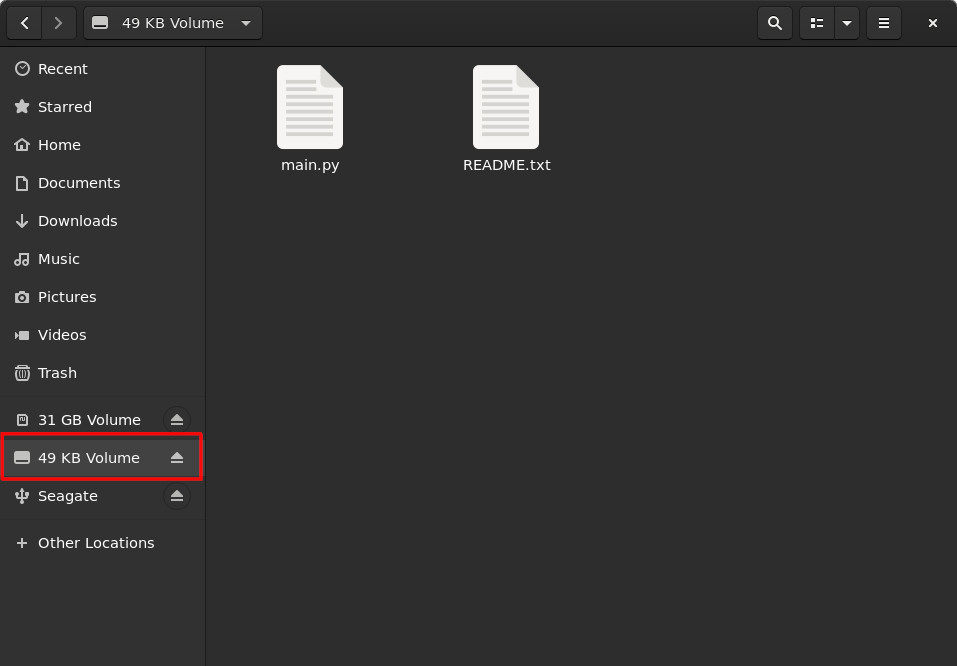
Current Contents In OpenMV Cam M4 V2

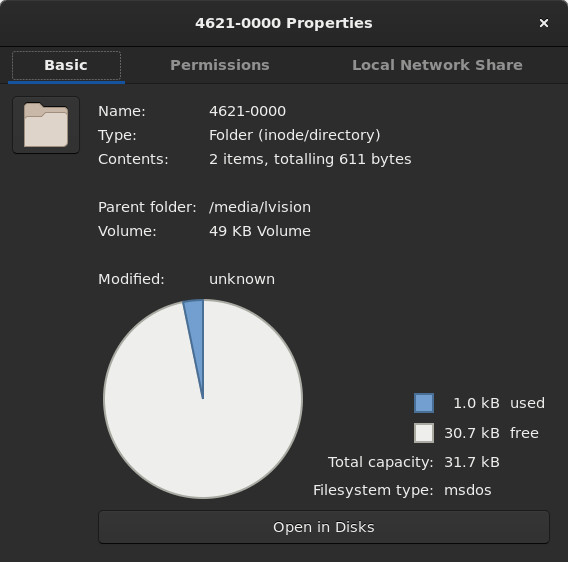
OpenMV Cam M4 V2 Properties

1
2
3
4
5
6
7
8
9
10
11
12
13
14
15
16
17
18
19
20
21
22
23
24
25
26
27
28
29
30
➜  ~ picocom /dev/ttyACM0
picocom v3.1

port is : /dev/ttyACM0
flowcontrol : none
baudrate is : 9600
parity is : none
databits are : 8
stopbits are : 1
escape is : C-a
local echo is : no
noinit is : no
noreset is : no
hangup is : no
nolock is : no
send_cmd is : sz -vv
receive_cmd is : rz -vv -E
imap is :
omap is :
emap is : crcrlf,delbs,
logfile is : none
initstring : none
exit_after is : not set
exit is : no

Type [C-a] [C-h] to see available commands
Terminal ready
MicroPython v1.9.3-4922-ge0f81c867 on 2018-04-23; OPENMV2 with STM32F427
Type "help()" for more information.
>>>

Press Ctrl+A then Ctrl+x, picocom will terminate its execution.

1
2
3
>>> 
Terminating...
Thanks for using picocom

2. OpenMV Cam M7 (OPENMV3 with STM32F765)

Current Contents In OpenMV Cam M7

OpenMV Cam M7 Properties

1
2
3
4
5
6
7
8
9
10
11
12
13
14
15
16
17
18
19
20
21
22
23
24
25
26
27
28
29
30
31
32
33
➜  ~ picocom /dev/ttyACM0
picocom v3.1

port is : /dev/ttyACM0
flowcontrol : none
baudrate is : 9600
parity is : none
databits are : 8
stopbits are : 1
escape is : C-a
local echo is : no
noinit is : no
noreset is : no
hangup is : no
nolock is : no
send_cmd is : sz -vv
receive_cmd is : rz -vv -E
imap is :
omap is :
emap is : crcrlf,delbs,
logfile is : none
initstring : none
exit_after is : not set
exit is : no

Type [C-a] [C-h] to see available commands
Terminal ready
MicroPython v1.9.4-4510-g23e8457de on 2018-06-29; OPENMV3 with STM32F765
Type "help()" for more information.
>>>
Terminating...
Thanks for using picocom
➜ ~

Flash OpenMV Firmware Onto OpenMV Board

1. Entering DFU Mode

Similar to what’s discussed in our previous blog, we need to enter DFU mode before flashing.

  • Disconnect the power for OpenMV board FIRST
  • Connect BOOT pin and RST pin afterwards
  • Then, reconnect the USB cable for flashing.

Before entering DFU mode:

1
2
3
4
➜  ~ lsusb
...
Bus 001 Device 027: ID 1209:abd1 InterBiometrics
...

After entering DFU mode:

1
2
3
4
➜  ~ lsusb
...
Bus 001 Device 028: ID 0483:df11 STMicroelectronics STM Device in DFU Mode
...

2. Flashing OpenMV’s Firmware

Checkout the NEWEST OpenMV. Find the corrensponding version of OpenMV board, flash it by command python pydfu.py -u <firmware.dfu>.

1) OpenMV Cam M4 V2 (OPENMV2 with STM32F427)

1
2
3
4
5
6
7
8
9
10
11
➜  openmv git:(master) python ./tools/pydfu.py -u firmware/OPENMV2/firmware.dfu 
./tools/pydfu.py:80: DeprecationWarning: inspect.getargspec() is deprecated since Python 3.0, use inspect.signature() or inspect.getfullargspec()
if 'length' in inspect.getargspec(usb.util.get_string).args:
File: firmware/OPENMV2/firmware.dfu
b'DfuSe' v1, image size: 834757, targets: 1
b'Target' 0, alt setting: 0, name: "ST...", size: 834472, elements: 1
0, address: 0x08010000, size: 834464
usb: 0483:df11, device: 0x0000, dfu: 0x011a, b'UFD', 16, 0x9dfe8e73
Writing memory...
0x08010000 834464 [=========================] 100%
Exiting DFU...

Let’s try picocom directly:

1
2
3
4
5
6
7
8
9
10
11
12
13
14
15
16
17
18
19
20
21
22
23
24
25
26
27
28
29
30
31
32
33
34
35
36
37
38
39
40
41
42
43
➜  openmv git:(master) picocom /dev/ttyACM0
picocom v3.1

port is : /dev/ttyACM0
flowcontrol : none
baudrate is : 9600
parity is : none
databits are : 8
stopbits are : 1
escape is : C-a
local echo is : no
noinit is : no
noreset is : no
hangup is : no
nolock is : no
send_cmd is : sz -vv
receive_cmd is : rz -vv -E
imap is :
omap is :
emap is : crcrlf,delbs,
logfile is : none
initstring : none
exit_after is : not set
exit is : no

Type [C-a] [C-h] to see available commands
Terminal ready
6792
18.86792
18.86792
18.86792
18.86792
18.86792
18.86792
......
Traceback (most recent call last):
File "/main.py", line 51, in <module>
KeyboardInterrupt:
MicroPython v1.9.4-4553-gb4eccdfe3 on 2019-05-02; OPENMV2 with STM32F427
Type "help()" for more information.
>>>
Terminating...
Thanks for using picocom

Check file main.py, which starts running automatically while testing with picocom.

1
2
3
4
5
6
7
8
9
10
11
12
13
14
15
16
17
18
19
20
21
22
23
24
25
26
27
28
29
30
31
32
33
34
35
36
37
38
39
40
41
42
43
44
45
46
47
48
49
50
51
# Face Detection Example
#
# This example shows off the built-in face detection feature of the OpenMV Cam.
#
# Face detection works by using the Haar Cascade feature detector on an image. A
# Haar Cascade is a series of simple area contrasts checks. For the built-in
# frontalface detector there are 25 stages of checks with each stage having
# hundreds of checks a piece. Haar Cascades run fast because later stages are
# only evaluated if previous stages pass. Additionally, your OpenMV Cam uses
# a data structure called the integral image to quickly execute each area
# contrast check in constant time (the reason for feature detection being
# grayscale only is because of the space requirment for the integral image).

import sensor, time, image

# Reset sensor
sensor.reset()

# Sensor settings
sensor.set_contrast(1)
sensor.set_gainceiling(16)
# HQVGA and GRAYSCALE are the best for face tracking.
sensor.set_framesize(sensor.HQVGA)
sensor.set_pixformat(sensor.GRAYSCALE)

# Load Haar Cascade
# By default this will use all stages, lower satges is faster but less accurate.
face_cascade = image.HaarCascade("frontalface", stages=25)
print(face_cascade)

# FPS clock
clock = time.clock()

while (True):
clock.tick()

# Capture snapshot
img = sensor.snapshot()

# Find objects.
# Note: Lower scale factor scales-down the image more and detects smaller objects.
# Higher threshold results in a higher detection rate, with more false positives.
objects = img.find_features(face_cascade, threshold=0.75, scale_factor=1.25)

# Draw objects
for r in objects:
img.draw_rectangle(r)

# Print FPS.
# Note: Actual FPS is higher, streaming the FB makes it slower.
print(clock.fps())

2) OpenMV Cam M7 (OPENMV3 with STM32F765)

1
2
3
4
5
6
7
8
9
10
11
➜  openmv git:(master) python ./tools/pydfu.py -u firmware/OPENMV3/firmware.dfu
./tools/pydfu.py:80: DeprecationWarning: inspect.getargspec() is deprecated since Python 3.0, use inspect.signature() or inspect.getfullargspec()
if 'length' in inspect.getargspec(usb.util.get_string).args:
File: firmware/OPENMV3/firmware.dfu
b'DfuSe' v1, image size: 1297173, targets: 1
b'Target' 0, alt setting: 0, name: "ST...", size: 1296888, elements: 1
0, address: 0x08020000, size: 1296880
usb: 0483:df11, device: 0x0000, dfu: 0x011a, b'UFD', 16, 0xeff0bf62
Writing memory...
0x08020000 1296880 [=========================] 100%
Exiting DFU...
1
2
3
4
5
6
7
8
9
10
11
12
13
14
15
16
17
18
19
20
21
22
23
24
25
26
27
28
29
30
31
32
33
➜  openmv git:(master) picocom /dev/ttyACM0
picocom v3.1

port is : /dev/ttyACM0
flowcontrol : none
baudrate is : 9600
parity is : none
databits are : 8
stopbits are : 1
escape is : C-a
local echo is : no
noinit is : no
noreset is : no
hangup is : no
nolock is : no
send_cmd is : sz -vv
receive_cmd is : rz -vv -E
imap is :
omap is :
emap is : crcrlf,delbs,
logfile is : none
initstring : none
exit_after is : not set
exit is : no

Type [C-a] [C-h] to see available commands
Terminal ready
MicroPython v1.9.4-4553-gb4eccdfe3 on 2019-05-02; OPENMV3 with STM32F765
Type "help()" for more information.
>>>
Terminating...
Thanks for using picocom
➜ openmv git:(master)

As you can see, firmware has NOW been updated to MicroPython v1.9.4-4553-gb4eccdfe3 on 2019-05-02.

Stream OpenMV Video without OpenMV-IDE

1. Snapshot

We FIRST test OpenMV snapshot code on OpenMV Cam M4 V2 (OPENMV2 with STM32F427).

1
2
3
4
5
6
7
8
9
10
11
12
13
14
15
16
17
18
19
20
21
22
23
24
25
26
27
# Snapshot Example
#
# Note: You will need an SD card to run this example.
#
# You can use your OpenMV Cam to save image files.

import sensor, image, pyb

RED_LED_PIN = 1
BLUE_LED_PIN = 3

sensor.reset() # Initialize the camera sensor.
sensor.set_pixformat(sensor.RGB565) # or sensor.GRAYSCALE
sensor.set_framesize(sensor.QVGA) # or sensor.QQVGA (or others)
sensor.skip_frames(time = 2000) # Let new settings take affect.

pyb.LED(RED_LED_PIN).on()
sensor.skip_frames(time = 2000) # Give the user time to get ready.

pyb.LED(RED_LED_PIN).off()
pyb.LED(BLUE_LED_PIN).on()

print("You're on camera!")
sensor.snapshot().save("example.jpg") # or "example.bmp" (or others)

pyb.LED(BLUE_LED_PIN).off()
print("Done! Reset the camera to see the saved image.")

Snapshot on OpenMV Cam M4 V2

2. Video Recording

We THEN test OpenMV video recording on OpenMV Cam M7 (OPENMV3 with STM32F765).

1
2
3
4
5
6
7
8
9
10
11
12
13
14
15
16
17
18
19
20
21
22
23
24
25
26
27
28
29
30
31
32
33
34
35
36
37
# MJPEG Video Recording Example
#
# Note: You will need an SD card to run this demo.
#
# You can use your OpenMV Cam to record mjpeg files. You can either feed the
# recorder object JPEG frames or RGB565/Grayscale frames. Once you've finished
# recording a Mjpeg file you can use VLC to play it. If you are on Ubuntu then
# the built-in video player will work too.

import sensor, image, time, mjpeg, pyb

RED_LED_PIN = 1
BLUE_LED_PIN = 3

sensor.reset() # Initialize the camera sensor.
sensor.set_pixformat(sensor.RGB565) # or sensor.GRAYSCALE
sensor.set_framesize(sensor.QVGA) # or sensor.QQVGA (or others)
sensor.skip_frames(time = 2000) # Let new settings take affect.
clock = time.clock() # Tracks FPS.

pyb.LED(RED_LED_PIN).on()
sensor.skip_frames(time = 2000) # Give the user time to get ready.

pyb.LED(RED_LED_PIN).off()
pyb.LED(BLUE_LED_PIN).on()

m = mjpeg.Mjpeg("example.mjpeg")

print("You're on camera!")
for i in range(200):
clock.tick()
m.add_frame(sensor.snapshot())
print(clock.fps())

m.close(clock.fps())
pyb.LED(BLUE_LED_PIN).off()
print("Done! Reset the camera to see the saved recording.")

Video recorded on OpenMV Cam M7

It looks it’s NOT easy to demo with the SD card. Please refer to my symptoms on the OpenMV forum.

3. Wifi Module

As expected, OpenMV NOW also privides its Wifi module now. Let’s just test the example code from openmv’s repo.

OpenMV Wifi Shield Connection

1
2
3
4
5
6
7
8
9
10
11
12
13
14
15
16
17
# Connect Example
#
# This example shows how to connect your OpenMV Cam with a WiFi shield to the net.

import network

SSID='' # Network SSID
KEY='' # Network key

# Init wlan module and connect to network
print("Trying to connect... (may take a while)...")

wlan = network.WINC()
wlan.connect(SSID, key=KEY, security=wlan.WPA_PSK)

# We should have a valid IP now via DHCP
print(wlan.ifconfig())

However, it’s NOT that handy to have the Wifi module tested.

My conclusion: Please use esp32-cam instead.

Today is sunny. ^_^… Let’s write something about MicroPython PyBoard. In my test, I’m using a PyBv1.1, which embeddes a STM32F405RG microcontroller.

Overview

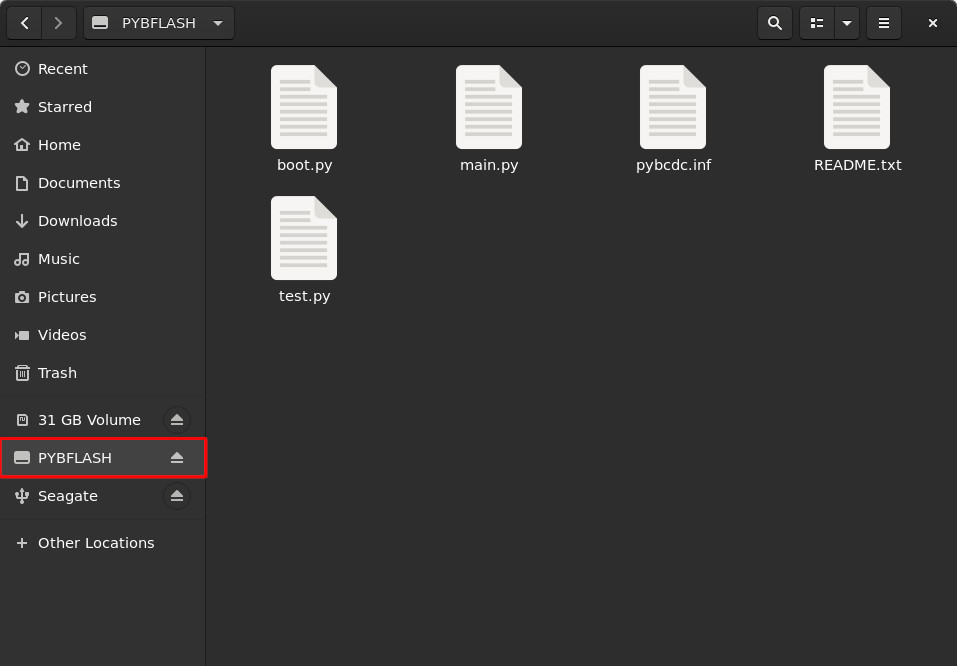
1. Contents In PyBoard

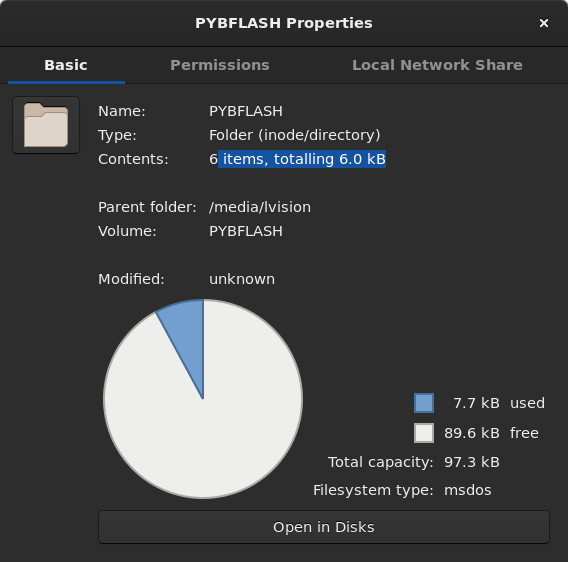
After connecting PyBv1.1 via USB cable, you will possibly see a folder prompt on the screen as follows:

Current Contents In PYBv1.1

PYBv1.1 Properties

2. Test Out picocom

1
2
3
4
5
6
7
8
9
10
11
12
13
14
15
16
17
18
19
20
21
22
23
24
25
26
27
➜  ~ picocom /dev/ttyACM0
picocom v3.1

port is : /dev/ttyACM0
flowcontrol : none
baudrate is : 9600
parity is : none
databits are : 8
stopbits are : 1
escape is : C-a
local echo is : no
noinit is : no
noreset is : no
hangup is : no
nolock is : no
send_cmd is : sz -vv
receive_cmd is : rz -vv -E
imap is :
omap is :
emap is : crcrlf,delbs,
logfile is : none
initstring : none
exit_after is : not set
exit is : no


FATAL: cannot open /dev/ttyACM0: Permission denied

It looks we need to change the permission of /dev/ttyACM0.

1
2
3
➜  ~ ll /dev/ttyACM0 
crw-rw---- 1 root dialout 166, 0 Jul 9 13:54 /dev/ttyACM0
➜ ~ sudo chmod 777 /dev/ttyACM0

Reconnect…

1
2
3
4
5
6
7
8
9
10
11
12
13
14
15
16
17
18
19
20
21
22
23
24
25
26
27
28
29
30
➜  ~ picocom /dev/ttyACM0
picocom v3.1

port is : /dev/ttyACM0
flowcontrol : none
baudrate is : 9600
parity is : none
databits are : 8
stopbits are : 1
escape is : C-a
local echo is : no
noinit is : no
noreset is : no
hangup is : no
nolock is : no
send_cmd is : sz -vv
receive_cmd is : rz -vv -E
imap is :
omap is :
emap is : crcrlf,delbs,
logfile is : none
initstring : none
exit_after is : not set
exit is : no

Type [C-a] [C-h] to see available commands
Terminal ready
MicroPython v1.9.4 on 2018-05-11; PYBv1.1 with STM32F405RG
Type "help()" for more information.
>>>

Press Ctrl+A then Ctrl+x, picocom will terminate its execution.

1
2
3
>>> 
Terminating...
Thanks for using picocom

3. Test Out screen

1
➜  ~ screen /dev/ttyACM0

Then you will see a micropython working console as:

1
2
3
1+1
2
>>>

It looks there is NO prompt after login via screen. That’s why I did 1+1 as a test whenever logging in by screen.

Now, let’s press Ctrl+A then Ctrl+d to quit screen.

1
2
3
➜  ~ screen /dev/ttyACM0
[detached from 5561.pts-5.lvision-GT72-6QE]
➜ ~

4. VERY Important

The code typed in the working console from either picocom or screen is corresponding to main.py in PYBFLASH.

Test

1. LED and Switch

The code is directly copied from MicroPython’s homepage.

1
2
3
4
5
6
7
8
9
10
11
12
13
import pyb

sw = pyb.Switch()
led = pyb.LED(4)
x = 0

while True:
if sw():
x = min(255, x+1)
else:
x = max(0,x-1)
led.intensity(x)
pyb.delay(30)

Press the USR switch and take a look what’s going on? ^_^ Interesting, isn’t it?

2. Log of Accelerometer’s Readings

Let’s try out MicroPython’s Example Code : Accelerometer Log with trivial modification.

1
2
3
4
5
6
7
8
9
10
11
12
13
14
15
16
17
# log the accelerometer values to a .csv-file on the SD-card

import pyb

accel = pyb.Accel() # create object of accelerometer
blue = pyb.LED(4) # create object of blue LED

log = open('.log.csv', 'w') # open file to write data - /sd/ is the SD-card, /flash/ the internal memory
blue.on() # turn on blue LED

for i in range(100): # do 100 times (if the board is connected via USB, you can't write longer because the PC tries to open the filesystem which messes up your file.)
t = pyb.millis() # get time since reset
x, y, z = accel.filtered_xyz() # get acceleration data
log.write('{},{},{},{}\n'.format(t,x,y,z)) # write data to file

log.close() # close file
blue.off() # turn off LED

Just press the RST switch, the above piece of code will automatically run once, and the onboard accelerator’s reading will be logged in file log.csv. In my test, 100 readings are logged as:

1
2
3
4
5
6
7
8
9
10
11
12
13
14
15
16
17
18
19
20
21
22
23
24
25
26
27
28
29
30
31
32
33
34
35
36
37
38
39
40
41
42
43
44
45
46
47
48
49
50
51
52
53
54
55
56
57
58
59
60
61
62
63
64
65
66
67
68
69
70
71
72
73
74
75
76
77
78
79
80
81
82
83
84
85
86
87
88
89
90
91
92
93
94
95
96
97
98
99
100
156,-10,-14,13
157,-20,-28,26
158,-30,-42,39
159,-40,-56,52
161,-40,-56,52
162,-40,-56,52
163,-40,-56,52
164,-40,-56,52
165,-40,-56,52
166,-40,-56,52
167,-40,-56,52
169,-39,-56,53
170,-38,-56,54
171,-37,-56,55
172,-36,-56,56
173,-36,-56,56
174,-36,-56,56
176,-36,-56,56
177,-36,-56,56
178,-36,-56,56
179,-36,-56,56
180,-36,-56,56
181,-36,-56,56
183,-36,-56,56
184,-36,-55,57
185,-36,-54,58
186,-36,-53,59
187,-36,-52,60
188,-36,-52,60
189,-36,-52,60
191,-36,-52,60
192,-36,-52,60
193,-36,-52,60
194,-36,-52,60
195,-36,-52,60
322,-30,-58,58
324,-24,-64,56
325,-18,-70,54
326,-12,-76,52
327,-12,-76,52
328,-12,-76,52
329,-12,-76,52
331,-12,-76,52
332,-12,-76,52
333,-12,-76,52
334,-14,-73,55
335,-16,-70,58
336,-18,-67,61
338,-20,-64,64
339,-20,-64,64
340,-20,-64,64
341,-20,-64,64
342,-20,-64,64
343,-20,-64,64
345,-20,-64,64
346,-20,-64,64
347,-20,-64,64
348,-20,-64,64
349,-18,-67,63
350,-16,-70,62
352,-14,-73,61
353,-12,-76,60
354,-12,-76,60
355,-12,-76,60
356,-12,-76,60
357,-12,-76,60
359,-12,-76,60
360,-12,-76,60
361,-12,-76,60
488,-19,-68,58
489,-26,-60,56
490,-33,-52,54
491,-40,-44,52
492,-40,-44,52
493,-40,-44,52
495,-40,-44,52
496,-40,-44,52
497,-40,-44,52
498,-41,-45,55
499,-42,-46,58
500,-43,-47,61
502,-44,-48,64
503,-44,-48,64
504,-44,-48,64
505,-44,-48,64
506,-44,-48,64
507,-44,-48,64
509,-44,-48,64
510,-44,-48,64
511,-44,-48,64
512,-44,-48,64
513,-43,-47,65
516,-30,-52,59
517,-17,-57,53
518,-2,-64,47
519,12,-72,40
520,14,-74,40
521,16,-76,40
523,16,-76,40
524,16,-76,40

Flash Micropython Onto Pyboard

1. Checkout Micropython Source Code

Let’s FIRST download the NEWEST micropython release. In my case, the MOST up-to-date release is 1.11. (Do NOT use the git version from https://github.com/micropython/micropython.git ).

2. Build Micropython For PYBV11

We’ll strictly follow ports/stm32/README.md to build Micropython.

1
2
3
4
5
6
7
8
9
➜  micropython-1.11 make -C mpy-cross
make: Entering directory '....../micropython-1.11/mpy-cross'
Use make V=1 or set BUILD_VERBOSE in your environment to increase build verbosity.
GEN build/genhdr/mpversion.h
CC main.c
LINK mpy-cross
text data bss dec hex filename
322105 24864 864 347833 54eb9 mpy-cross
make: Leaving directory '....../micropython-1.11/mpy-cross'

Then we enter subfolder ports/stm32. for further building.

1
2
3
4
5
6
7
8
9
10
11
12
13
14
15
16
17
18
19
20
21
22
23
24
25
26
27
28
29
30
31
32
33
34
35
36
37
38
39
40
41
42
43
44
45
46
47
48
49
50
51
52
53
54
55
56
57
58
59
60
61
62
63
64
65
66
67
68
69
70
71
72
73
74
75
76
77
78
79
80
81
82
83
84
85
86
87
88
89
90
91
92
93
94
95
96
97
98
99
100
101
102
103
104
105
106
107
108
109
110
111
➜  micropython-1.11 cd ports/stm32 
➜ stm32 make BOARD=PYBV11 deploy
Use make V=1 or set BUILD_VERBOSE in your environment to increase build verbosity.
mkdir -p build-PYBV11/genhdr
GEN build-PYBV11/genhdr/pins.h
GEN stmconst build-PYBV11/modstm_qstr.h
GEN build-PYBV11/genhdr/mpversion.h
GEN build-PYBV11/genhdr/moduledefs.h
GEN build-PYBV11/genhdr/pybcdc.inf
GEN build-PYBV11/genhdr/pybcdc_inf.h
GEN build-PYBV11/genhdr/pllfreqtable.h
GEN build-PYBV11/genhdr/qstr.i.last
GEN build-PYBV11/genhdr/qstr.split
GEN build-PYBV11/genhdr/qstrdefs.collected.h
QSTR updated
GEN build-PYBV11/genhdr/qstrdefs.generated.h
mkdir -p build-PYBV11/boards/
mkdir -p build-PYBV11/build-PYBV11/
mkdir -p build-PYBV11/drivers/bus/
mkdir -p build-PYBV11/drivers/dht/
mkdir -p build-PYBV11/drivers/memory/
mkdir -p build-PYBV11/extmod/
mkdir -p build-PYBV11/lib/embed/
mkdir -p build-PYBV11/lib/libc/
mkdir -p build-PYBV11/lib/libm/
mkdir -p build-PYBV11/lib/mp-readline/
mkdir -p build-PYBV11/lib/netutils/
mkdir -p build-PYBV11/lib/oofatfs/
mkdir -p build-PYBV11/lib/stm32lib/STM32F4xx_HAL_Driver/Src/
mkdir -p build-PYBV11/lib/timeutils/
mkdir -p build-PYBV11/lib/utils/
mkdir -p build-PYBV11/py/
mkdir -p build-PYBV11/usbdev/class/src/
mkdir -p build-PYBV11/usbdev/core/src/
CC ../../py/mpstate.c
CC ../../py/nlr.c
CC ../../py/nlrx86.c
CC ../../py/nlrx64.c
CC ../../py/nlrthumb.c
CC ../../py/nlrxtensa.c
CC ../../py/nlrsetjmp.c
CC ../../py/malloc.c
CC ../../py/gc.c
CC ../../py/pystack.c
CC ../../py/qstr.c
CC ../../py/vstr.c
CC ../../py/mpprint.c
CC ../../py/unicode.c
...
CC lcd.c
CC accel.c
CC servo.c
CC dac.c
CC adc.c
AS boards/startup_stm32f4.s
CC system_stm32.c
AS resethandler.s
AS ../../lib/utils/gchelper_m3.s
CC ../../lib/stm32lib/STM32F4xx_HAL_Driver/Src/stm32f4xx_hal.c
CC ../../lib/stm32lib/STM32F4xx_HAL_Driver/Src/stm32f4xx_hal_adc.c
CC ../../lib/stm32lib/STM32F4xx_HAL_Driver/Src/stm32f4xx_hal_adc_ex.c
CC ../../lib/stm32lib/STM32F4xx_HAL_Driver/Src/stm32f4xx_hal_cortex.c
CC ../../lib/stm32lib/STM32F4xx_HAL_Driver/Src/stm32f4xx_hal_dma.c
CC ../../lib/stm32lib/STM32F4xx_HAL_Driver/Src/stm32f4xx_hal_flash.c
CC ../../lib/stm32lib/STM32F4xx_HAL_Driver/Src/stm32f4xx_hal_flash_ex.c
CC ../../lib/stm32lib/STM32F4xx_HAL_Driver/Src/stm32f4xx_hal_gpio.c
CC ../../lib/stm32lib/STM32F4xx_HAL_Driver/Src/stm32f4xx_hal_i2c.c
CC ../../lib/stm32lib/STM32F4xx_HAL_Driver/Src/stm32f4xx_hal_pcd.c
CC ../../lib/stm32lib/STM32F4xx_HAL_Driver/Src/stm32f4xx_hal_pcd_ex.c
CC ../../lib/stm32lib/STM32F4xx_HAL_Driver/Src/stm32f4xx_hal_pwr.c
CC ../../lib/stm32lib/STM32F4xx_HAL_Driver/Src/stm32f4xx_hal_pwr_ex.c
CC ../../lib/stm32lib/STM32F4xx_HAL_Driver/Src/stm32f4xx_hal_rcc.c
CC ../../lib/stm32lib/STM32F4xx_HAL_Driver/Src/stm32f4xx_hal_rcc_ex.c
CC ../../lib/stm32lib/STM32F4xx_HAL_Driver/Src/stm32f4xx_hal_rtc.c
CC ../../lib/stm32lib/STM32F4xx_HAL_Driver/Src/stm32f4xx_hal_rtc_ex.c
CC ../../lib/stm32lib/STM32F4xx_HAL_Driver/Src/stm32f4xx_hal_spi.c
CC ../../lib/stm32lib/STM32F4xx_HAL_Driver/Src/stm32f4xx_hal_tim.c
CC ../../lib/stm32lib/STM32F4xx_HAL_Driver/Src/stm32f4xx_hal_tim_ex.c
CC ../../lib/stm32lib/STM32F4xx_HAL_Driver/Src/stm32f4xx_hal_uart.c
CC ../../lib/stm32lib/STM32F4xx_HAL_Driver/Src/stm32f4xx_hal_sd.c
CC ../../lib/stm32lib/STM32F4xx_HAL_Driver/Src/stm32f4xx_ll_sdmmc.c
CC ../../lib/stm32lib/STM32F4xx_HAL_Driver/Src/stm32f4xx_ll_fmc.c
CC ../../lib/stm32lib/STM32F4xx_HAL_Driver/Src/stm32f4xx_ll_usb.c
CC ../../lib/stm32lib/STM32F4xx_HAL_Driver/Src/stm32f4xx_hal_mmc.c
CC ../../lib/stm32lib/STM32F4xx_HAL_Driver/Src/stm32f4xx_hal_sdram.c
CC ../../lib/stm32lib/STM32F4xx_HAL_Driver/Src/stm32f4xx_hal_dma_ex.c
CC ../../lib/stm32lib/STM32F4xx_HAL_Driver/Src/stm32f4xx_hal_dcmi.c
CC ../../lib/stm32lib/STM32F4xx_HAL_Driver/Src/stm32f4xx_hal_can.c
CC usbdev/core/src/usbd_core.c
CC usbdev/core/src/usbd_ctlreq.c
CC usbdev/core/src/usbd_ioreq.c
CC usbdev/class/src/usbd_cdc_msc_hid.c
CC usbdev/class/src/usbd_msc_bot.c
CC usbdev/class/src/usbd_msc_scsi.c
CC usbdev/class/src/usbd_msc_data.c
CC build-PYBV11/pins_PYBV11.c
LINK build-PYBV11/firmware.elf
text data bss dec hex filename
332432 32 27876 360340 57f94 build-PYBV11/firmware.elf
GEN build-PYBV11/firmware.dfu
Writing build-PYBV11/firmware.dfu to the board
Traceback (most recent call last):
File "../../tools/pydfu.py", line 586, in <module>
main()
File "../../tools/pydfu.py", line 566, in main
init()
File "../../tools/pydfu.py", line 97, in init
raise ValueError('No DFU device found')
ValueError: No DFU device found
make: *** [Makefile:442: deploy] Error 1
➜ stm32

3. Load MicroPython on a Microcontroller Board

The above ERROR message is telling that our board is NOT in the DFU mode yet. Therefore, according to the blog
How to Load MicroPython on a Microcontroller Board, we need to make sure P1 (DFU) and 3V3 pin are connected together before flashing.

Note: Before connecting P1 (DFU) and 3V3 pin, make sure power is disconnected from the pyboard.

Now, let’s try it again:

1
2
3
4
5
6
7
8
9
10
11
12
13
14
➜  stm32 make BOARD=PYBV11 deploy
Use make V=1 or set BUILD_VERBOSE in your environment to increase build verbosity.
Writing build-PYBV11/firmware.dfu to the board
File: build-PYBV11/firmware.dfu
b'DfuSe' v1, image size: 332773, targets: 1
b'Target' 0, alt setting: 0, name: "ST...", size: 332488, elements: 2
0, address: 0x08000000, size: 14824
1, address: 0x08020000, size: 317648
usb: 0483:df11, device: 0x0000, dfu: 0x011a, b'UFD', 16, 0x60c9ebae
Writing memory...
0x08000000 14824 [=========================] 100%
0x08020000 317648 [=========================] 100%
Exiting DFU...
➜ stm32

Let’s try picocom connection again:

1
2
3
4
5
6
7
8
9
10
11
12
13
14
15
16
17
18
19
20
21
22
23
24
25
26
27
28
29
30
31
32
33
➜  stm32 picocom /dev/ttyACM0
picocom v3.1

port is : /dev/ttyACM0
flowcontrol : none
baudrate is : 9600
parity is : none
databits are : 8
stopbits are : 1
escape is : C-a
local echo is : no
noinit is : no
noreset is : no
hangup is : no
nolock is : no
send_cmd is : sz -vv
receive_cmd is : rz -vv -E
imap is :
omap is :
emap is : crcrlf,delbs,
logfile is : none
initstring : none
exit_after is : not set
exit is : no

Type [C-a] [C-h] to see available commands
Terminal ready
MicroPython v1.11 on 2019-07-13; PYBv1.1 with STM32F405RG
Type "help()" for more information.
>>>
Terminating...
Thanks for using picocom
➜ stm32

Flash Official MicroPython Firmware Using dfu-util

According to the Pyboard Firmware Update Wiki, we may also use dfu-util to flash the board.

1. Shortcut Pin dfu and 3.3V

Pyboard shortcut connection

2. lsusb

1
2
3
4
➜  ~ lsusb
......
Bus 009 Device 017: ID 0483:df11 STMicroelectronics STM Device in DFU Mode
......

3. Use dfu-util

After shortcutting pin dfu and 3.3v:

1
2
3
4
5
6
7
8
9
10
11
12
➜  MicroPython sudo dfu-util -l
dfu-util 0.11

Copyright 2005-2009 Weston Schmidt, Harald Welte and OpenMoko Inc.
Copyright 2010-2021 Tormod Volden and Stefan Schmidt
This program is Free Software and has ABSOLUTELY NO WARRANTY
Please report bugs to http://sourceforge.net/p/dfu-util/tickets/

Found DFU: [0483:df11] ver=2200, devnum=17, cfg=1, intf=0, path="9-4", alt=3, name="@Device Feature/0xFFFF0000/01*004 e", serial="336737523037"
Found DFU: [0483:df11] ver=2200, devnum=17, cfg=1, intf=0, path="9-4", alt=2, name="@OTP Memory /0x1FFF7800/01*512 e,01*016 e", serial="336737523037"
Found DFU: [0483:df11] ver=2200, devnum=17, cfg=1, intf=0, path="9-4", alt=1, name="@Option Bytes /0x1FFFC000/01*016 e", serial="336737523037"
Found DFU: [0483:df11] ver=2200, devnum=17, cfg=1, intf=0, path="9-4", alt=0, name="@Internal Flash /0x08000000/04*016Kg,01*064Kg,07*128Kg", serial="336737523037"

Otherwise, sudo dfu-util -l will display ONLY:

1
2
3
4
5
6
7
➜  MicroPython sudo dfu-util -l
dfu-util 0.11

Copyright 2005-2009 Weston Schmidt, Harald Welte and OpenMoko Inc.
Copyright 2010-2021 Tormod Volden and Stefan Schmidt
This program is Free Software and has ABSOLUTELY NO WARRANTY
Please report bugs to http://sourceforge.net/p/dfu-util/tickets/

4. Flash

1
2
3
4
5
6
7
8
9
10
11
12
13
14
15
16
17
18
19
20
21
22
23
24
25
26
27
28
29
30
31
32
33
34
35
36
37
38
39
40
41
➜  MicroPython sudo dfu-util --alt 0 -D PYBV11-20250415-v1.25.0.dfu              
dfu-util 0.11

Copyright 2005-2009 Weston Schmidt, Harald Welte and OpenMoko Inc.
Copyright 2010-2021 Tormod Volden and Stefan Schmidt
This program is Free Software and has ABSOLUTELY NO WARRANTY
Please report bugs to http://sourceforge.net/p/dfu-util/tickets/

Match vendor ID from file: 0483
Match product ID from file: df11
Multiple alternate interfaces for DfuSe file
Opening DFU capable USB device...
Device ID 0483:df11
Device DFU version 011a
Claiming USB DFU Interface...
Setting Alternate Interface #0 ...
Determining device status...
DFU state(10) = dfuERROR, status(10) = Device's firmware is corrupt. It cannot return to run-time (non-DFU) operations
Clearing status
Determining device status...
DFU state(2) = dfuIDLE, status(0) = No error condition is present
DFU mode device DFU version 011a
Device returned transfer size 2048
DfuSe interface name: "Internal Flash "
File contains 1 DFU images
Parsing DFU image 1
Target name: ST...
Image for alternate setting 0, (2 elements, total size = 363704)
Setting Alternate Interface #0 ...
Parsing element 1, address = 0x08000000, size = 14744
Erase [=========================] 100% 14744 bytes
Erase done.
Download [=========================] 100% 14744 bytes
Download done.
Parsing element 2, address = 0x08020000, size = 348944
Erase [=========================] 100% 348944 bytes
Erase done.
Download [=========================] 100% 348944 bytes
Download done.
Done parsing DfuSe file
➜ MicroPython

Bingo.

Raining today…

Skill 1 - How to apply color for words in Markdown?

Solution

Please refer to https://stackoverflow.com/questions/35465557/how-to-apply-color-in-markdown.

1
Some Markdown text with <span style="color:blue">some *blue* text</span>.

Test

Please refer to the following line in our yesterday’s blog NVidia Jetson Nano - 1. The code is as follows:

1
<span style="color:red">**Now, Jetson Nano is wired connected onto the Internet.**</span>

Skill 2 - Multirow/multicolumn cell in markdown table

Solution

Try: https://github.com/markdown-it/markdown-it/issues/406

Test

Collumns
First Second Third
First 1

Second 2

Second 2

Third 1

Third 2

Third 3

* List 1 element

List 2 elements (1)

List 2 elements (2)

* List 3 elements (1)

List 3 elements (2)

List 3 elements (3)

Skill 3 Embed Jupyter Notebook into Hexo Post

I got the Intel Wireless-AC 9260 today, and a proper 128G micro SD card, finally… Let’s try out Jetson Nano.

PART A: Install JetPack onto Jetson Nano

Let’s simply use the command dd to have JetPack installed onto the micro SD card as follows:

1
2
3
4
5
➜  JetPack sudo dd bs=4M if=jetson-nano-sd-r32.1.1-2019-05-31.img of=/dev/mmcblk0 conv=fsync
[sudo] password for lvision:
3072+0 records in
3072+0 records out
12884901888 bytes (13 GB, 12 GiB) copied, 311.804 s, 41.3 MB/s

PART B: Boot Into Jetson Nano and Test it Out

1. First Boot

It seems GUI is a must for Jetson Nano’s FIRST BOOT, which is ignored in this blog.

2. SSH into Jetson Nano

For now, Jetson Nano is wired connected onto the Internet. And it seems Intel Wireless-AC 9260 is NOT working properly with Jetson Nano yet. Details can be found at https://devtalk.nvidia.com/default/topic/1050449/jetson-nano/intel-9260-wifi-on-jetson-nano-jetbot.

1
2
3
4
5
6
7
8
9
10
11
12
13
14
15
16
17
18
➜  ~ ssh lvision@192.168.1.71
lvision@192.168.1.71's password:
Welcome to Ubuntu 18.04.2 LTS (GNU/Linux 4.9.140-tegra aarch64)

* Documentation: https://help.ubuntu.com
* Management: https://landscape.canonical.com
* Support: https://ubuntu.com/advantage

This system has been minimized by removing packages and content that are
not required on a system that users do not log into.

To restore this content, you can run the 'unminimize' command.

450 packages can be updated.
210 updates are security updates.

Last login: Sat Jul 6 18:41:11 2019 from 192.168.1.200
lvision@lvision-desktop:~$

3. Check JetPack OS

1
2
3
4
5
6
7
8
9
10
11
12
13
14
15
16
17
18
19
20
21
22
23
24
25
26
27
28
29
30
31
32
33
34
35
36
37
38
39
lvision@lvision-desktop:~$ uname -a
Linux lvision-desktop 4.9.140-tegra #1 SMP PREEMPT Wed Mar 13 00:32:22 PDT 2019 aarch64 aarch64 aarch64 GNU/Linux
lvision@lvision-desktop:~$ lsb_release -a
No LSB modules are available.
Distributor ID: Ubuntu
Description: Ubuntu 18.04.2 LTS
Release: 18.04
Codename: bionic
ilvision@lvision-desktop:~$ ip -c address
1: lo: <LOOPBACK,UP,LOWER_UP> mtu 65536 qdisc noqueue state UNKNOWN group default qlen 1
link/loopback 00:00:00:00:00:00 brd 00:00:00:00:00:00
inet 127.0.0.1/8 scope host lo
valid_lft forever preferred_lft forever
inet6 ::1/128 scope host
valid_lft forever preferred_lft forever
2: dummy0: <BROADCAST,NOARP> mtu 1500 qdisc noop state DOWN group default qlen 1000
link/ether 9a:c2:3a:84:96:66 brd ff:ff:ff:ff:ff:ff
3: eth0: <BROADCAST,MULTICAST,UP,LOWER_UP> mtu 1500 qdisc pfifo_fast state UP group default qlen 1000
link/ether 00:04:4b:e4:12:59 brd ff:ff:ff:ff:ff:ff
inet 192.168.1.71/24 brd 192.168.1.255 scope global dynamic noprefixroute eth0
valid_lft 85183sec preferred_lft 85183sec
inet6 2001:569:7ef8:d600:858b:9c23:db05:7b3a/64 scope global temporary dynamic
valid_lft 7476sec preferred_lft 7176sec
inet6 2001:569:7ef8:d600:509c:9fe9:1cb7:2b7f/64 scope global dynamic mngtmpaddr noprefixroute
valid_lft 7476sec preferred_lft 7176sec
inet6 fe80::1714:cd7d:771d:a4/64 scope link noprefixroute
valid_lft forever preferred_lft forever
4: rndis0: <NO-CARRIER,BROADCAST,MULTICAST,UP> mtu 1500 qdisc pfifo_fast master l4tbr0 state DOWN group default qlen 1000
link/ether da:d4:ee:c5:ed:e9 brd ff:ff:ff:ff:ff:ff
5: usb0: <NO-CARRIER,BROADCAST,MULTICAST,UP> mtu 1500 qdisc pfifo_fast master l4tbr0 state DOWN group default qlen 1000
link/ether da:d4:ee:c5:ed:eb brd ff:ff:ff:ff:ff:ff
6: l4tbr0: <NO-CARRIER,BROADCAST,MULTICAST,UP> mtu 1500 qdisc noqueue state DOWN group default qlen 1000
link/ether da:d4:ee:c5:ed:e9 brd ff:ff:ff:ff:ff:ff
inet 192.168.55.1/24 brd 192.168.55.255 scope global l4tbr0
valid_lft forever preferred_lft forever
inet6 fe80::1/128 scope link
valid_lft forever preferred_lft forever
inet6 fe80::a495:bff:fe21:2ad0/64 scope link
valid_lft forever preferred_lft forever

4. Update and Upgrade All Upgradable Packages

1
2
3
4
5
6
7
8
9
10
11
12
13
14
15
16
17
18
19
20
21
22
23
24
25
26
27
28
29
30
31
32
33
34
35
36
lvision@lvision-desktop:~$ sudo apt upgrade
[sudo] password for lvision:
Reading package lists... Done
Building dependency tree
Reading state information... Done
Calculating upgrade... Done
The following packages were automatically installed and are no longer required:
apt-clone archdetect-deb busybox-static cryptsetup-bin dpkg-repack gir1.2-timezonemap-1.0 gir1.2-xkl-1.0 grub-common
kde-window-manager kinit kio kpackagetool5 kwayland-data kwin-common kwin-data kwin-x11 libdebian-installer4 libkdecorations2-5v5
libkdecorations2private5v5 libkf5activities5 libkf5attica5 libkf5completion-data libkf5completion5 libkf5declarative-data
libkf5declarative5 libkf5doctools5 libkf5globalaccel-data libkf5globalaccel5 libkf5globalaccelprivate5 libkf5idletime5
libkf5jobwidgets-data libkf5jobwidgets5 libkf5kcmutils-data libkf5kcmutils5 libkf5kiocore5 libkf5kiontlm5 libkf5kiowidgets5
libkf5newstuff-data libkf5newstuff5 libkf5newstuffcore5 libkf5package-data libkf5package5 libkf5plasma5 libkf5quickaddons5
libkf5solid5 libkf5solid5-data libkf5sonnet5-data libkf5sonnetcore5 libkf5sonnetui5 libkf5textwidgets-data libkf5textwidgets5
libkf5waylandclient5 libkf5waylandserver5 libkf5xmlgui-bin libkf5xmlgui-data libkf5xmlgui5 libkscreenlocker5
libkwin4-effect-builtins1 libkwineffects11 libkwinglutils11 libkwinxrenderutils11 libllvm6.0 libqgsttools-p1 libqt5designer5
libqt5help5 libqt5multimedia5 libqt5multimedia5-plugins libqt5multimediaquick-p5 libqt5multimediawidgets5 libqt5opengl5
libqt5positioning5 libqt5printsupport5 libqt5qml5 libqt5quick5 libqt5quickwidgets5 libqt5sensors5 libqt5sql5 libqt5test5
libqt5webchannel5 libqt5webkit5 libxcb-composite0 libxcb-cursor0 libxcb-damage0 os-prober python3-dbus.mainloop.pyqt5 python3-icu
python3-pam python3-pyqt5 python3-pyqt5.qtsvg python3-pyqt5.qtwebkit python3-sip qml-module-org-kde-kquickcontrolsaddons
qml-module-qtmultimedia qml-module-qtquick2 rdate
Use 'sudo apt autoremove' to remove them.
The following NEW packages will be installed:
containerd gstreamer1.0-gtk3 libdrm-etnaviv1 libllvm8 python3-dateutil runc
The following packages will be upgraded:
......
Setting up update-notifier (3.192.1.7) ...
Setting up ubuntu-desktop (1.417.1) ...
Processing triggers for libc-bin (2.27-3ubuntu1) ...
Processing triggers for resolvconf (1.79ubuntu10.18.04.3) ...
Processing triggers for initramfs-tools (0.130ubuntu3.8) ...
update-initramfs: Generating /boot/initrd.img-4.9.140-tegra
Warning: couldn't identify filesystem type for fsck hook, ignoring.
/sbin/ldconfig.real: Warning: ignoring configuration file that cannot be opened: /etc/ld.so.conf.d/aarch64-linux-gnu_EGL.conf: No such file or directory
/sbin/ldconfig.real: Warning: ignoring configuration file that cannot be opened: /etc/ld.so.conf.d/aarch64-linux-gnu_GL.conf: No such file or directory
Processing triggers for dbus (1.12.2-1ubuntu1.1) ...

Happy 2019’s Canada Day.

Happy Canada Day

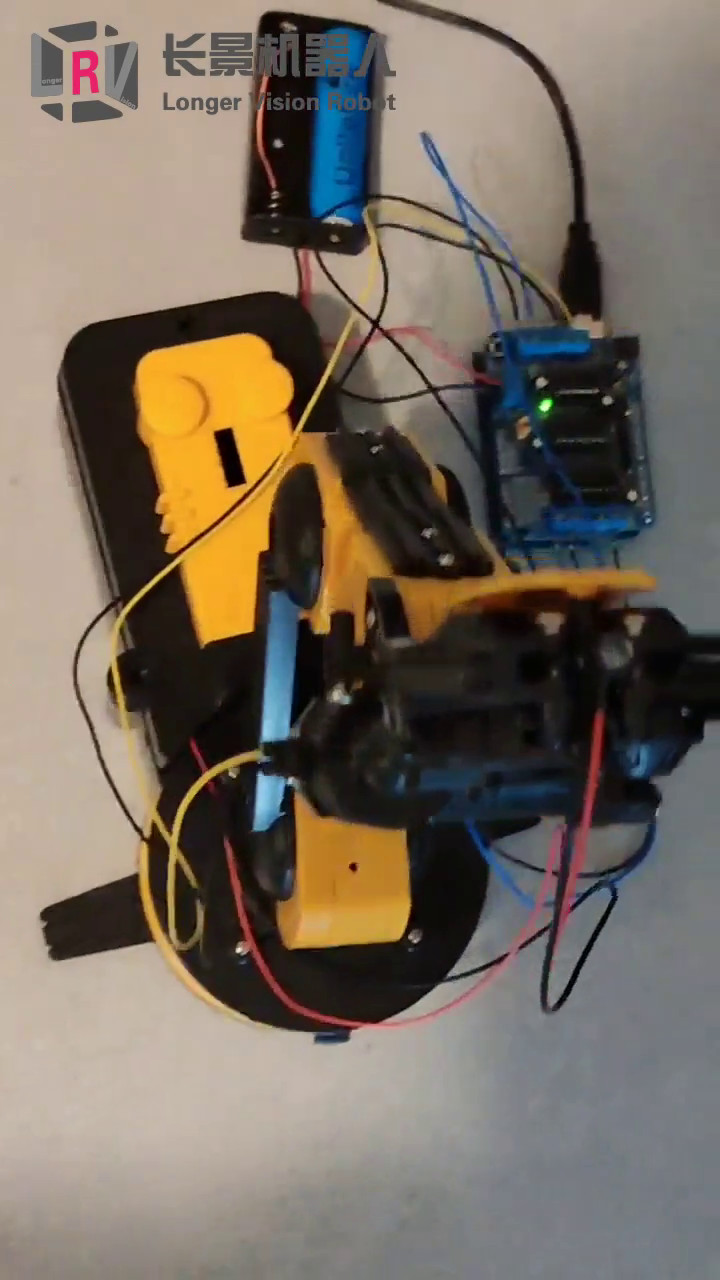
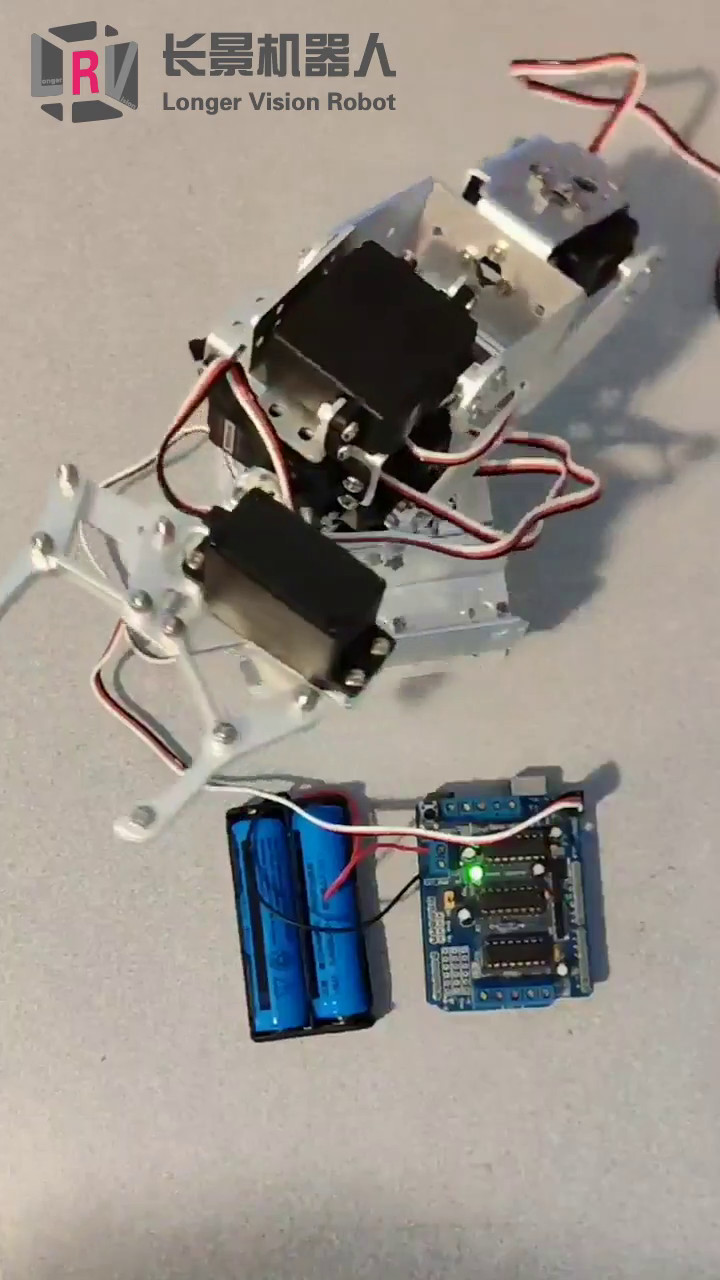
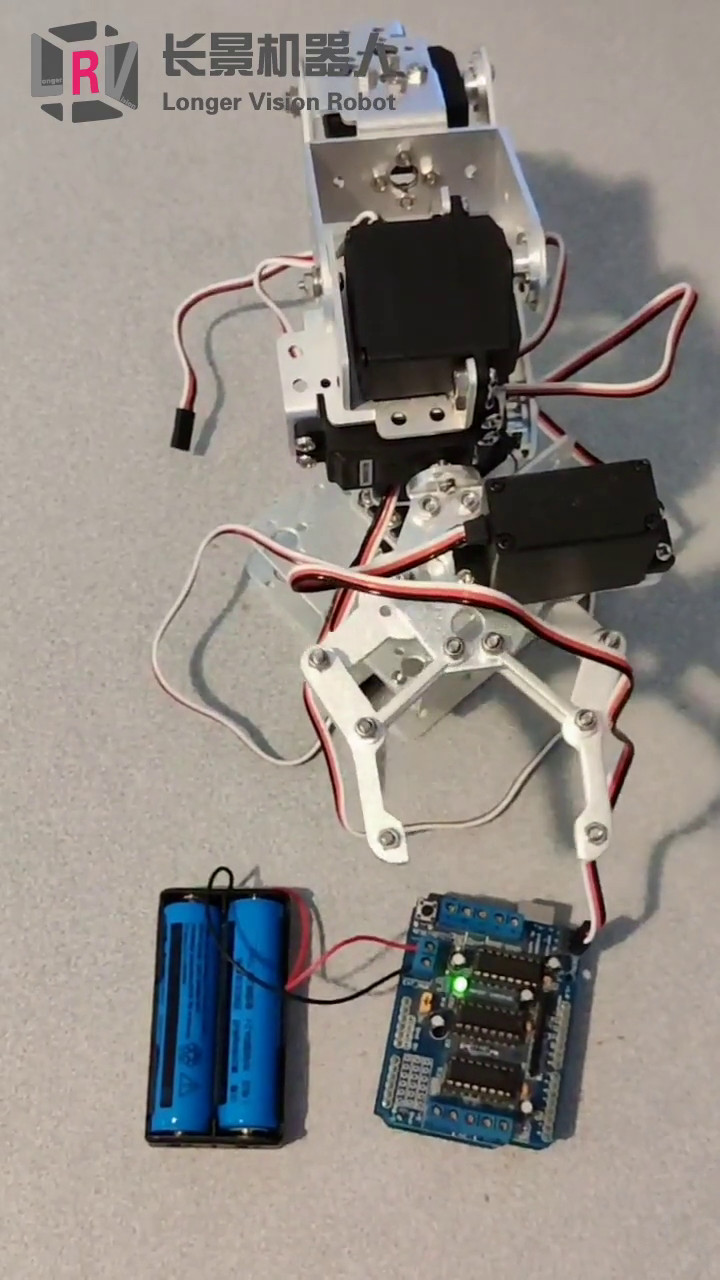
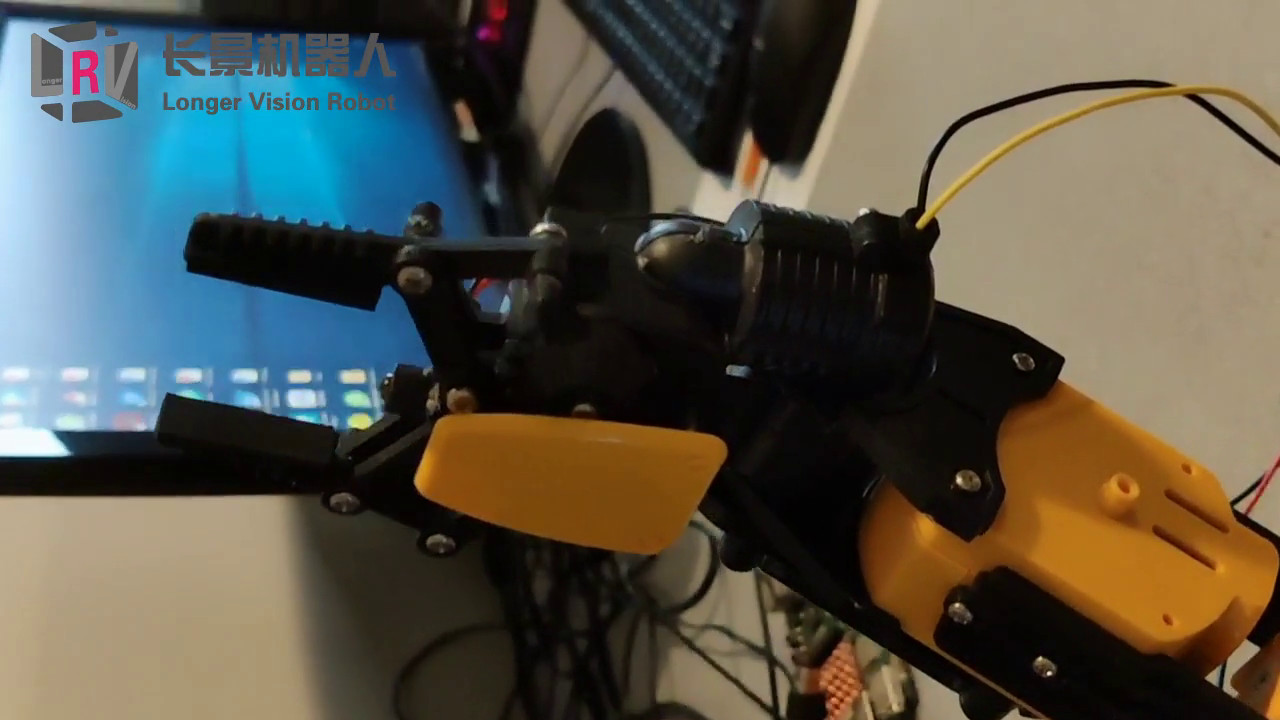
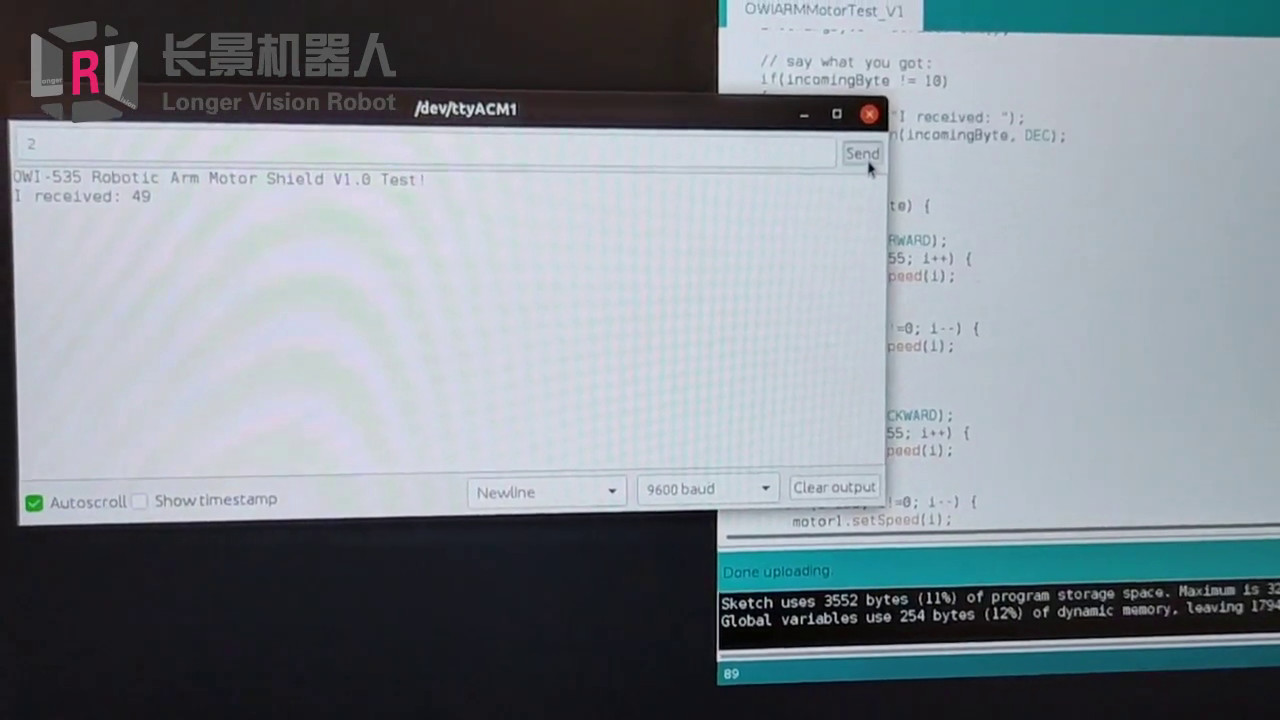
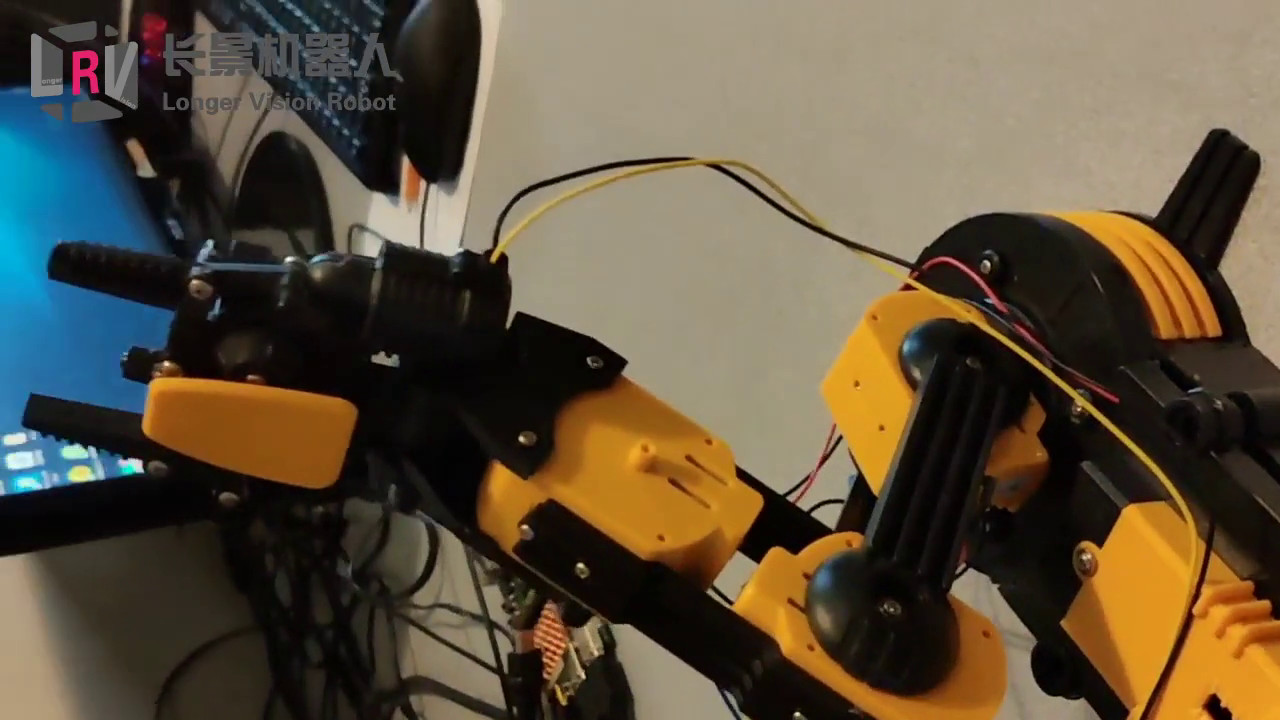
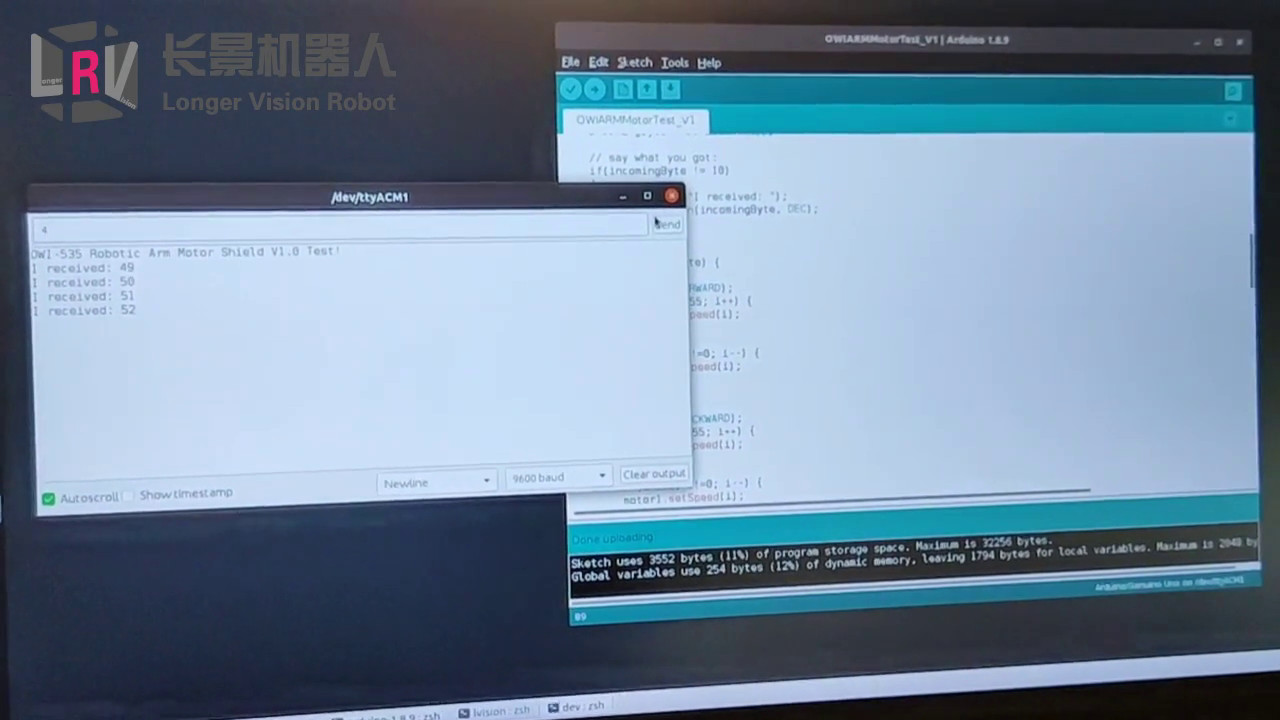
Having simply demoed two Arduino-controlled robotic arms the other day, I had some videos updated onto Longer Vision Robot’s Facebook today, namely, 2019’s Canada Day.

Overview of OWI 535 Cable Connection to Arduino

OWI 535 Cable Connection & Arduino IDE

Triggered Motor Actions

Metal Robotic Arm Left/Right Turn Metal Robotic Arm Clipper Motor - Open/Close
OWI 535 Clipper Motor - Open/Close OWI 535 Motor Upper Knot
OWI 535 Motor Middle Knot OWI 535 Motor Lower Knot

By following our previous blog Build GCC, we should be able to CROSS-BUILD GCC for various ARM architectures. Today, we are building GCC 9.1.0 for Hikey 970, which is of aarch64 architecture. (More details about aarch64 can be found on ARM architecture )

Start Building

Binutils

1
2
3
4
5
6
7
8
9
10
11
12
13
14
15
16
17
18
19
20
21
22
23
24
25
26
27
28
29
30
31
32
33
34
35
36
37
38
39
40
41
42
43
44
45
46
47
48
49
50
51
52
53
54
55
56
57
58
59
60
61
62
63
64
65
66
67
68
69
70
71
72
73
74
75
76
77
78
79
80
81
82
83
84
85
86
87
88
89
90
91
92
93
94
95
96
97
98
99
➜  aarch64 mkdir build-binutils
➜ aarch64 cd build-binutils
lvision@hikey970:~/Downloads/Programming/GCC/build-binutils$ ../binutils-2.32/configure --prefix=/opt/aarch64 --enable-shared --enable-vtable-verify
checking build system type... aarch64-unknown-linux-gnu
checking host system type... aarch64-unknown-linux-gnu
checking target system type... aarch64-unknown-linux-gnu
checking for a BSD-compatible install... /usr/bin/install -c
checking whether ln works... yes
checking whether ln -s works... yes
checking for a sed that does not truncate output... /bin/sed
checking for gawk... gawk
checking for gcc... gcc
checking whether the C compiler works... yes
checking for C compiler default output file name... a.out
checking for suffix of executables...
checking whether we are cross compiling... no
checking for suffix of object files... o
checking whether we are using the GNU C compiler... yes
checking whether gcc accepts -g... yes
checking for gcc option to accept ISO C89... none needed
checking for g++... g++
checking whether we are using the GNU C++ compiler... yes
checking whether g++ accepts -g... yes
checking whether g++ accepts -static-libstdc++ -static-libgcc... yes
checking for gnatbind... gnatbind
checking for gnatmake... gnatmake
checking whether compiler driver understands Ada... no
checking how to compare bootstrapped objects... cmp --ignore-initial=16 $$f1 $$f2
checking for objdir... .libs
checking for isl 0.15 or later... yes
checking for default BUILD_CONFIG...
checking for --enable-vtable-verify... yes
checking for bison... bison -y
checking for bison... bison
checking for gm4... no
checking for gnum4... no
checking for m4... m4
checking for flex... flex
checking for makeinfo... makeinfo
checking for expect... expect
checking for runtest... no
checking for ar... ar
checking for as... as
checking for dlltool... no
checking for ld... ld
checking for lipo... no
checking for nm... nm
checking for ranlib... ranlib
checking for strip... strip
checking for windres... no
checking for windmc... no
checking for objcopy... objcopy
checking for objdump... objdump
checking for readelf... readelf
checking for cc... cc
checking for c++... c++
checking for gcc... gcc
checking for gfortran... gfortran
checking for gccgo... gccgo
checking for ar... ar
checking for as... as
checking for dlltool... no
checking for ld... ld
checking for lipo... no
checking for nm... nm
checking for objcopy... objcopy
checking for objdump... objdump
checking for ranlib... ranlib
checking for readelf... readelf
checking for strip... strip
checking for windres... no
checking for windmc... no
checking where to find the target ar... just compiled
checking where to find the target as... just compiled
checking where to find the target cc... host tool
checking where to find the target c++... host tool
checking where to find the target c++ for libstdc++... host tool
checking where to find the target dlltool... just compiled
checking where to find the target gcc... host tool
checking where to find the target gfortran... host tool
checking where to find the target gccgo... host tool
checking where to find the target ld... just compiled
checking where to find the target lipo... host tool
checking where to find the target nm... just compiled
checking where to find the target objcopy... just compiled
checking where to find the target objdump... just compiled
checking where to find the target ranlib... just compiled
checking where to find the target readelf... just compiled
checking where to find the target strip... just compiled
checking where to find the target windres... just compiled
checking where to find the target windmc... just compiled
checking whether to enable maintainer-specific portions of Makefiles... no
configure: creating ./config.status
config.status: creating Makefile
➜ build-binutils make -j4
......
➜ build-binutils make install
➜ build-binutils cd ..

Linux Kernel Headers

1
2
3
4
5
6
7
8
9
10
11
12
13
14
15
16
17
18
19
20
21
22
23
24
25
26
27
28
29
30
31
32
33
34
35
36
37
38
39
40
41
42
43
➜  aarch64 cd linux-5.1.12
➜ linux-5.1.12 make ARCH=arm64 INSTALL_HDR_PATH=/opt/aarch64/aarch64-linux headers_install
INSTALL include/asm-generic (36 files)
INSTALL include/drm (26 files)
INSTALL include/linux/android (2 files)
INSTALL include/linux/byteorder (2 files)
INSTALL include/linux/caif (2 files)
INSTALL include/linux/can (6 files)
INSTALL include/linux/cifs (1 file)
INSTALL include/linux/dvb (8 files)
INSTALL include/linux/genwqe (1 file)
INSTALL include/linux/hdlc (1 file)
INSTALL include/linux/hsi (2 files)
INSTALL include/linux/iio (2 files)
INSTALL include/linux/isdn (1 file)
INSTALL include/linux/mmc (1 file)
INSTALL include/linux/netfilter/ipset (4 files)
INSTALL include/linux/netfilter (88 files)
INSTALL include/linux/netfilter_arp (2 files)
INSTALL include/linux/netfilter_bridge (17 files)
INSTALL include/linux/netfilter_ipv4 (9 files)
INSTALL include/linux/netfilter_ipv6 (13 files)
INSTALL include/linux/nfsd (5 files)
INSTALL include/linux/raid (2 files)
INSTALL include/linux/sched (1 file)
INSTALL include/linux/spi (1 file)
INSTALL include/linux/sunrpc (1 file)
INSTALL include/linux/tc_act (15 files)
INSTALL include/linux/tc_ematch (5 files)
INSTALL include/linux/usb (13 files)
INSTALL include/linux/wimax (1 file)
INSTALL include/linux (505 files)
INSTALL include/misc (4 files)
INSTALL include/mtd (5 files)
INSTALL include/rdma/hfi (2 files)
INSTALL include/rdma (25 files)
INSTALL include/scsi/fc (4 files)
INSTALL include/scsi (5 files)
INSTALL include/sound (16 files)
INSTALL include/video (3 files)
INSTALL include/xen (4 files)
INSTALL include/asm (37 files)
➜ linux-5.1.12 cd ..

C/C++ Compilers

1
2
3
4
5
6
7
8
9
10
11
12
13
14
15
16
17
18
19
20
21
22
23
24
25
26
27
28
29
30
31
32
33
34
35
36
37
38
39
40
41
42
43
44
45
46
47
48
49
50
51
52
53
54
55
56
57
58
59
60
61
62
63
64
65
66
67
68
69
70
71
72
73
74
75
76
77
78
79
80
81
82
83
84
85
86
87
88
89
90
91
92
93
94
95
96
97
98
99
100
101
102
103
104
105
106
107
108
109
110
111
112
113
114
115
116
117
118
119
120
➜  aarch64 mkdir -p build-gcc
➜ aarch64 cd build-gcc
$ ../gcc-9.1.0/configure --prefix=/opt/aarch64 --enable-multiarch --enable-languages=c,c++,fortran,go --disable-multilib --disable-libvtv --enable-vtable-verify
checking build system type... aarch64-unknown-linux-gnu
checking host system type... aarch64-unknown-linux-gnu
checking target system type... aarch64-unknown-linux-gnu
checking for a BSD-compatible install... /usr/bin/install -c
checking whether ln works... yes
checking whether ln -s works... yes
checking for a sed that does not truncate output... /bin/sed
checking for gawk... gawk
checking for libatomic support... yes
checking for libitm support... yes
checking for libsanitizer support... yes
checking for libhsail-rt support... no
checking for libphobos support... yes
checking for gcc... gcc
checking whether the C compiler works... yes
checking for C compiler default output file name... a.out
checking for suffix of executables...
checking whether we are cross compiling... no
checking for suffix of object files... o
checking whether we are using the GNU C compiler... yes
checking whether gcc accepts -g... yes
checking for gcc option to accept ISO C89... none needed
checking for g++... g++
checking whether we are using the GNU C++ compiler... yes
checking whether g++ accepts -g... yes
checking whether g++ accepts -static-libstdc++ -static-libgcc... yes
checking for gnatbind... gnatbind
checking for gnatmake... gnatmake
checking whether compiler driver understands Ada... no
checking how to compare bootstrapped objects... cmp --ignore-initial=16 $$f1 $$f2
checking for objdir... .libs
checking for the correct version of gmp.h... yes
checking for the correct version of mpfr.h... yes
checking for the correct version of mpc.h... yes
checking for the correct version of the gmp/mpfr/mpc libraries... yes
checking for isl 0.15 or later... yes
*** This configuration is not supported in the following subdirectories:
gnattools target-libada target-libhsail-rt target-libphobos target-zlib target-libobjc target-liboffloadmic target-libvtv
(Any other directories should still work fine.)
checking for default BUILD_CONFIG... bootstrap-debug
checking for --enable-vtable-verify... yes
checking for bison... bison -y
checking for bison... bison
checking for gm4... no
checking for gnum4... no
checking for m4... m4
checking for flex... flex
checking for makeinfo... makeinfo
checking for expect... expect
checking for runtest... no
checking for ar... ar
checking for as... as
checking for dlltool... no
checking for ld... ld
checking for lipo... no
checking for nm... nm
checking for ranlib... ranlib
checking for strip... strip
checking for windres... no
checking for windmc... no
checking for objcopy... objcopy
checking for objdump... objdump
checking for otool... no
checking for readelf... readelf
checking for cc... cc
checking for c++... c++
checking for gcc... gcc
checking for gfortran... gfortran
checking for gccgo... gccgo
checking for gdc... no
checking for ar... /opt/aarch64/aarch64-unknown-linux-gnu/bin/ar
checking for as... /opt/aarch64/aarch64-unknown-linux-gnu/bin/as
checking for dlltool... no
checking for ld... /opt/aarch64/aarch64-unknown-linux-gnu/bin/ld
checking for lipo... no
checking for nm... /opt/aarch64/aarch64-unknown-linux-gnu/bin/nm
checking for objcopy... /opt/aarch64/aarch64-unknown-linux-gnu/bin/objcopy
checking for objdump... /opt/aarch64/aarch64-unknown-linux-gnu/bin/objdump
checking for otool... no
checking for ranlib... /opt/aarch64/aarch64-unknown-linux-gnu/bin/ranlib
checking for readelf... /opt/aarch64/aarch64-unknown-linux-gnu/bin/readelf
checking for strip... /opt/aarch64/aarch64-unknown-linux-gnu/bin/strip
checking for windres... no
checking for windmc... no
checking where to find the target ar... pre-installed in /opt/aarch64/aarch64-unknown-linux-gnu/bin
checking where to find the target as... pre-installed in /opt/aarch64/aarch64-unknown-linux-gnu/bin
checking where to find the target cc... just compiled
checking where to find the target c++... just compiled
checking where to find the target c++ for libstdc++... just compiled
checking where to find the target dlltool... host tool
checking where to find the target gcc... just compiled
checking where to find the target gfortran... just compiled
checking where to find the target gccgo... just compiled
checking where to find the target gdc... host tool
checking where to find the target ld... pre-installed in /opt/aarch64/aarch64-unknown-linux-gnu/bin
checking where to find the target lipo... host tool
checking where to find the target nm... pre-installed in /opt/aarch64/aarch64-unknown-linux-gnu/bin
checking where to find the target objcopy... pre-installed in /opt/aarch64/aarch64-unknown-linux-gnu/bin
checking where to find the target objdump... pre-installed in /opt/aarch64/aarch64-unknown-linux-gnu/bin
checking where to find the target otool... host tool
checking where to find the target ranlib... pre-installed in /opt/aarch64/aarch64-unknown-linux-gnu/bin
checking where to find the target readelf... pre-installed in /opt/aarch64/aarch64-unknown-linux-gnu/bin
checking where to find the target strip... pre-installed in /opt/aarch64/aarch64-unknown-linux-gnu/bin
checking where to find the target windres... host tool
checking where to find the target windmc... host tool
checking whether to enable maintainer-specific portions of Makefiles... no
configure: creating ./config.status
config.status: creating Makefile
➜ build-gcc make -j4 all-gcc
➜ build-gcc make install-gcc
➜ build-gcc cd ..

GLibc

1
2
3
4
5
6
7
8
9
➜  aarch64 mkdir -p build-glibc
➜ aarch64 cd build-glibc
➜ build-glibc ../glibc-2.29/configure --prefix=/opt/aarch64/aarch64-linux --build=$MACHTYPE --host=aarch64-linux --target=aarch64-linux --with-headers=/opt/aarch64/aarch64-linux/include --enable-multiarch --disable-multilib --disable-libvtv --with-selinux=no --enable-vtable-verify libc_cv_forced_unwind=yes
➜ build-glibc make install-bootstrap-headers=yes install-headers
➜ build-glibc make -j4 csu/subdir_lib
➜ build-glibc install csu/crt1.o csu/crti.o csu/crtn.o /opt/aarch64/aarch64-linux/lib
➜ build-glibc /opt/aarch64/bin/aarch64-linux-gcc -nostdlib -nostartfiles -shared -x c /dev/null -o /opt/aarch64/aarch64-linux/lib/libc.so
➜ build-glibc touch /opt/aarch64/aarch64-linux/include/gnu/stubs.h
➜ build-glibc cd ..

Compiler Support Library

1
2
3
4
➜  aarch64 cd build-gcc
➜ build-gcc make -j4 all-target-libgcc
➜ build-gcc make install-target-libgcc
➜ build-gcc cd ..

Build Standard C Library

1
2
3
4
➜  aarch64 cd build-glibc
➜ build-glibc make -j4
➜ build-glibc make install
➜ build-glibc cd ..

Build Standard C++ Library

1
2
3
4
➜  aarch64 cd build-gcc
➜ build-gcc make -j4
➜ build-gcc make install
➜ build-gcc cd ..

Finishing and Test

Check GCC Version

1
2
3
4
5
6
7
8
➜  /opt/aarch64/bin/aarch64-linux-gcc -v
Using built-in specs.
COLLECT_GCC=/opt/aarch64/bin/aarch64-linux-gcc
COLLECT_LTO_WRAPPER=/opt/aarch64/libexec/gcc/aarch64-linux/9.1.0/lto-wrapper
Target: aarch64-linux
Configured with: ../gcc-9.1.0/configure --prefix=/opt/aarch64 --target=aarch64-linux --enable-languages=c,c++,fortran,go --disable-multilib --enable-vtable-verify : (reconfigured) ../gcc-9.1.0/configure --prefix=/opt/aarch64 --target=aarch64-linux --enable-multiarch --enable-languages=c,c++,fortran,go --disable-multilib --enable-vtable-verify : (reconfigured) ../gcc-9.1.0/configure --prefix=/opt/aarch64 --target=aarch64-linux --enable-multiarch --enable-languages=c,c++,fortran,go --disable-multilib --disable-libvtv --enable-vtable-verify
Thread model: posix
gcc version 9.1.0 (GCC)

Copy Built GCC 9.1.0 Onto Hikey 970

I actually copied some of the built folder under https://www.longervision.cc/arm/aarch64/gcc-9.1.0/. You are welcome to go try the toolchain.

Run Hello World on Hikey970

1
2
3
4
5
6
7
8
9
10
11
12
13
14
15
➜  GCC cat test.cpp 
#include <iostream>

int main(int argc, char** argv)
{
std::cout << "Hello World!" << std::endl;
return EXIT_SUCCESS;
}
➜ GCC x86_64-linux-gnu-c++ -std=c++17 test.cpp
➜ GCC x86_64-linux-gnu-c++ -std=c++17 test.cpp -o test
➜ GCC ls
a.out test test.cpp
➜ GCC ./test
Hello World!
➜ GCC

Today, let’s try to build the MOST RECENT GCC 9.1. We strictly follow the TERRIFIC blog How to Build a GCC Cross-Compiler with trivial modifications for my x86_64 desktop instead of aarch64 cross compile.

Preparations

Packages Required on HOST

Some packages are required to install on the host computer, including:

  • g++
  • make
  • gawk
  • bison
  • flex
  • expect
  • gnat
    etc.

Get ALL Packages for Building GCC

A wget-list.txt file is provided to download ALL required packages up-to-date. After having downloaded this single text file, the UNIQUE command to download all files is as follows:

1
➜  gcc ✗ wget -i wget-list.txt

You can of course download the files one by one. All concerned files are listed below:

Then, we extract all .tar files in whatever way you prefer.

1
2
3
4
5
6
7
➜  cd gcc-9.1.0
➜ gcc-9.1.0 ln -s ../mpfr-4.0.2 mpfr
➜ gcc-9.1.0 ln -s ../gmp-6.1.2 gmp
➜ gcc-9.1.0 ln -s ../mpc-1.1.0 mpc
➜ gcc-9.1.0 ln -s ../isl-0.18 isl
➜ gcc-9.1.0 ln -s ../cloog-0.18.1 cloog
➜ gcc-9.1.0 cd ..

Prepare Build Target Folder

1
2
➜  gcc mkdir -p /opt/native
➜ gcc export PATH=/opt/native/bin:$PATH

Start Building

Binutils

1
2
3
4
5
6
7
8
9
10
11
12
13
14
15
16
17
18
19
20
21
22
23
24
25
26
27
28
29
30
31
32
33
34
35
36
37
38
39
40
41
42
43
44
45
46
47
48
49
50
51
52
53
54
55
56
57
58
59
60
61
62
63
64
65
66
67
68
69
70
71
72
73
74
75
76
77
78
79
80
81
82
83
84
85
86
87
88
89
90
91
92
93
94
95
96
97
98
99
100
101
102
103
104
105
106
107
➜  gcc mkdir build-binutils
➜ gcc cd build-binutils
➜ build-binutils ../binutils-2.32/configure --prefix=/opt/native --target=x86_64-linux-gnu --enable-vtable-verify
checking build system type... x86_64-pc-linux-gnu
checking host system type... x86_64-pc-linux-gnu
checking target system type... x86_64-pc-linux-gnu
checking for a BSD-compatible install... /usr/bin/install -c
checking whether ln works... yes
checking whether ln -s works... yes
checking for a sed that does not truncate output... /usr/bin/sed
checking for gawk... gawk
checking for gcc... gcc
checking whether the C compiler works... yes
checking for C compiler default output file name... a.out
checking for suffix of executables...
checking whether we are cross compiling... no
checking for suffix of object files... o
checking whether we are using the GNU C compiler... yes
checking whether gcc accepts -g... yes
checking for gcc option to accept ISO C89... none needed
checking for g++... g++
checking whether we are using the GNU C++ compiler... yes
checking whether g++ accepts -g... yes
checking whether g++ accepts -static-libstdc++ -static-libgcc... yes
checking for gnatbind... gnatbind
checking for gnatmake... gnatmake
checking whether compiler driver understands Ada... yes
checking how to compare bootstrapped objects... cmp --ignore-initial=16 $$f1 $$f2
checking for objdir... .libs
checking for isl 0.15 or later... no
required isl version is 0.15 or later
checking for default BUILD_CONFIG...
checking for --enable-vtable-verify... yes
checking for bison... bison -y
checking for bison... bison
checking for gm4... no
checking for gnum4... no
checking for m4... m4
checking for flex... flex
checking for makeinfo... makeinfo
checking for expect... expect
checking for runtest... no
checking for ar... ar
checking for as... as
checking for dlltool... no
checking for ld... ld
checking for lipo... no
checking for nm... nm
checking for ranlib... ranlib
checking for strip... strip
checking for windres... no
checking for windmc... no
checking for objcopy... objcopy
checking for objdump... objdump
checking for readelf... readelf
checking for x86_64-linux-gnu-cc... no
checking for cc... cc
checking for x86_64-linux-gnu-c++... no
checking for c++... c++
checking for x86_64-linux-gnu-gcc... x86_64-linux-gnu-gcc
checking for x86_64-linux-gnu-gfortran... x86_64-linux-gnu-gfortran
checking for x86_64-linux-gnu-gccgo... no
checking for gccgo... no
checking for x86_64-linux-gnu-ar... x86_64-linux-gnu-ar
checking for x86_64-linux-gnu-as... x86_64-linux-gnu-as
checking for x86_64-linux-gnu-dlltool... no
checking for dlltool... no
checking for x86_64-linux-gnu-ld... x86_64-linux-gnu-ld
checking for x86_64-linux-gnu-lipo... no
checking for lipo... no
checking for x86_64-linux-gnu-nm... x86_64-linux-gnu-nm
checking for x86_64-linux-gnu-objcopy... x86_64-linux-gnu-objcopy
checking for x86_64-linux-gnu-objdump... x86_64-linux-gnu-objdump
checking for x86_64-linux-gnu-ranlib... x86_64-linux-gnu-ranlib
checking for x86_64-linux-gnu-readelf... x86_64-linux-gnu-readelf
checking for x86_64-linux-gnu-strip... x86_64-linux-gnu-strip
checking for x86_64-linux-gnu-windres... no
checking for windres... no
checking for x86_64-linux-gnu-windmc... no
checking for windmc... no
checking where to find the target ar... just compiled
checking where to find the target as... just compiled
checking where to find the target cc... host tool
checking where to find the target c++... host tool
checking where to find the target c++ for libstdc++... host tool
checking where to find the target dlltool... just compiled
checking where to find the target gcc... host tool
checking where to find the target gfortran... host tool
checking where to find the target gccgo... host tool
checking where to find the target ld... just compiled
checking where to find the target lipo... host tool
checking where to find the target nm... just compiled
checking where to find the target objcopy... just compiled
checking where to find the target objdump... just compiled
checking where to find the target ranlib... just compiled
checking where to find the target readelf... just compiled
checking where to find the target strip... just compiled
checking where to find the target windres... just compiled
checking where to find the target windmc... just compiled
checking whether to enable maintainer-specific portions of Makefiles... no
configure: creating ./config.status
config.status: creating Makefile
➜ build-binutils make -j4
......
➜ build-binutils make install
➜ build-binutils cd ..

Linux Kernel Headers

1
2
3
➜  gcc cd linux-5.1.12
➜ linux-5.1.12 make ARCH=x86 INSTALL_HDR_PATH=/opt/native/linux headers_install
➜ linux-5.1.12 cd ..

C/C++ Compilers

1
2
3
4
5
6
➜  gcc mkdir -p build-gcc
➜ gcc cd build-gcc
➜ build-gcc ../gcc-9.1.0/configure --prefix=/opt/native --target=x86_64-linux-gnu --enable-languages=c,c++,fortran,go --disable-multilib --enable-vtable-verify
➜ build-gcc make -j4 all-gcc
➜ build-gcc make install-gcc
➜ build-gcc cd ..

GLibc

1
2
3
4
5
6
7
8
9
10
➜  gcc mkdir -p build-glibc
➜ gcc cd build-glibc
➜ build-glibc ../glibc-2.29/configure --prefix=/opt/native/linux --build=$MACHTYPE --host=x86_64-linux-gnu --target=x86_64-linux-gnu --with-headers=/opt/native/linux/include --disable-multilib --with-selinux=no --enable-vtable-verify libc_cv_forced_unwind=yes
➜ build-glibc make install-bootstrap-headers=yes install-headers
➜ build-glibc make -j4 csu/subdir_lib
➜ build-glibc mkdir /opt/native/linux/lib
➜ build-glibc install csu/crt1.o csu/crti.o csu/crtn.o /opt/native/linux/lib
➜ build-glibc /opt/native/bin/x86_64-linux-gnu-gcc -nostdlib -nostartfiles -shared -x c /dev/null -o /opt/native/linux/lib/libc.so
➜ build-glibc touch /opt/native/linux/include/gnu/stubs.h
➜ build-glibc cd ..

Compiler Support Library

1
2
3
4
➜  gcc cd build-gcc
➜ build-gcc make -j4 all-target-libgcc
➜ build-gcc make install-target-libgcc
➜ build-gcc cd ..

Build Standard C Library

1
2
3
4
➜  gcc cd build-glibc
➜ build-glibc make -j4
➜ build-glibc make install
➜ build-glibc cd ..

Build Standard C++ Library

1
2
3
4
➜  gcc cd build-gcc
➜ build-gcc make -j4
➜ build-gcc make install
➜ build-gcc cd ..

Finishing and Test

Check GCC Version

1
2
3
4
5
6
7
8
➜  build-gcc x86_64-linux-gnu-c++ -v
Using built-in specs.
COLLECT_GCC=x86_64-linux-gnu-c++
COLLECT_LTO_WRAPPER=/opt/native/libexec/gcc/x86_64-linux-gnu/9.1.0/lto-wrapper
Target: x86_64-linux-gnu
Configured with: ../gcc-9.1.0/configure --prefix=/opt/native --target=x86_64-linux-gnu --enable-languages=c,c++,python,fortran,go --disable-multilib --enable-vtable-verify
Thread model: posix
gcc version 9.1.0 (GCC)

Run Hello World

1
2
3
4
5
6
7
8
9
10
11
12
13
14
15
➜  GCC cat test.cpp 
#include <iostream>

int main(int argc, char** argv)
{
std::cout << "Hello World!" << std::endl;
return EXIT_SUCCESS;
}
➜ GCC x86_64-linux-gnu-c++ -std=c++17 test.cpp
➜ GCC x86_64-linux-gnu-c++ -std=c++17 test.cpp -o test
➜ GCC ls
a.out test test.cpp
➜ GCC ./test
Hello World!
➜ GCC